Ghost Arc Raiders
Status: Updating
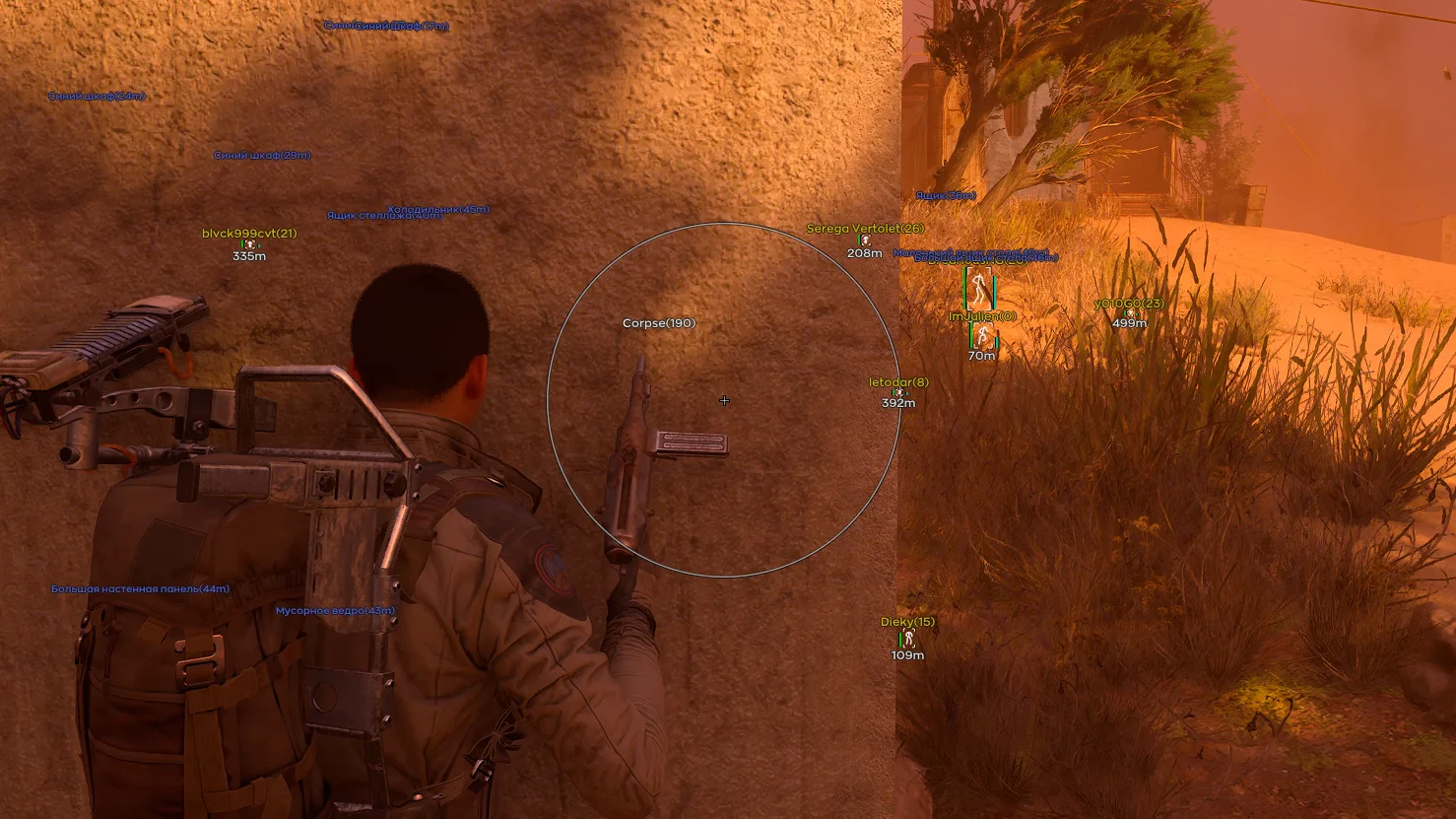
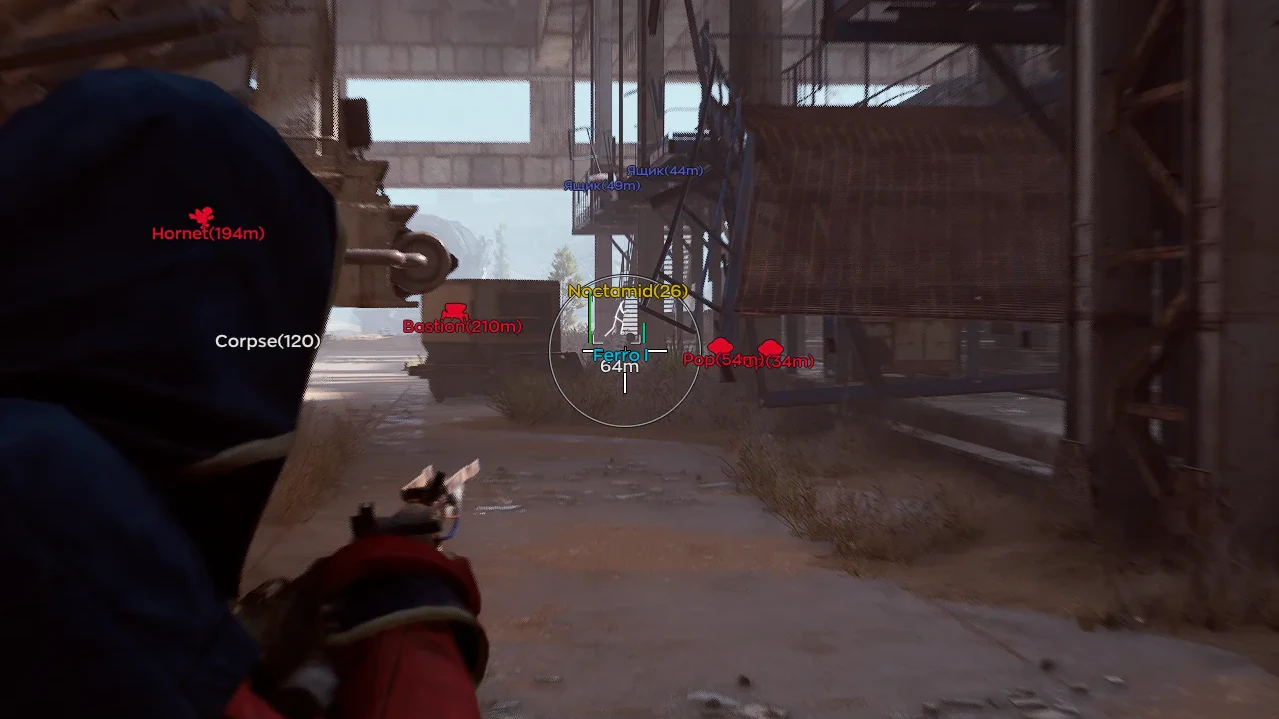
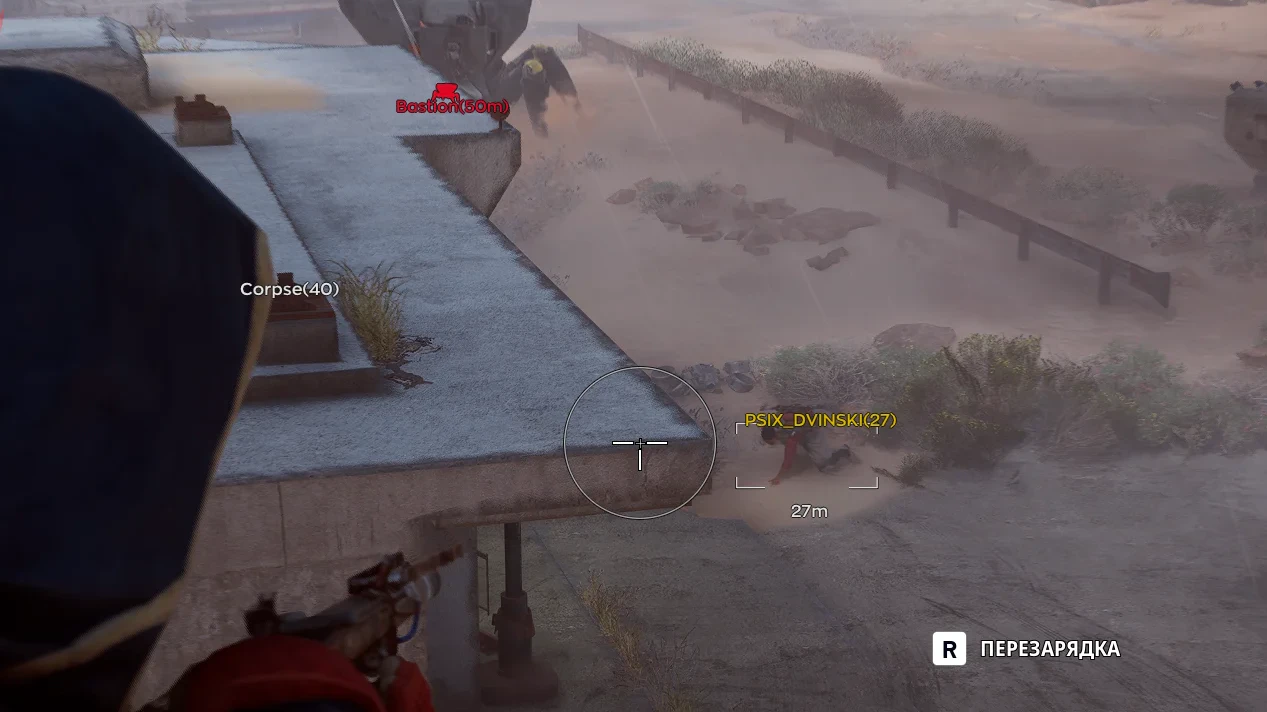
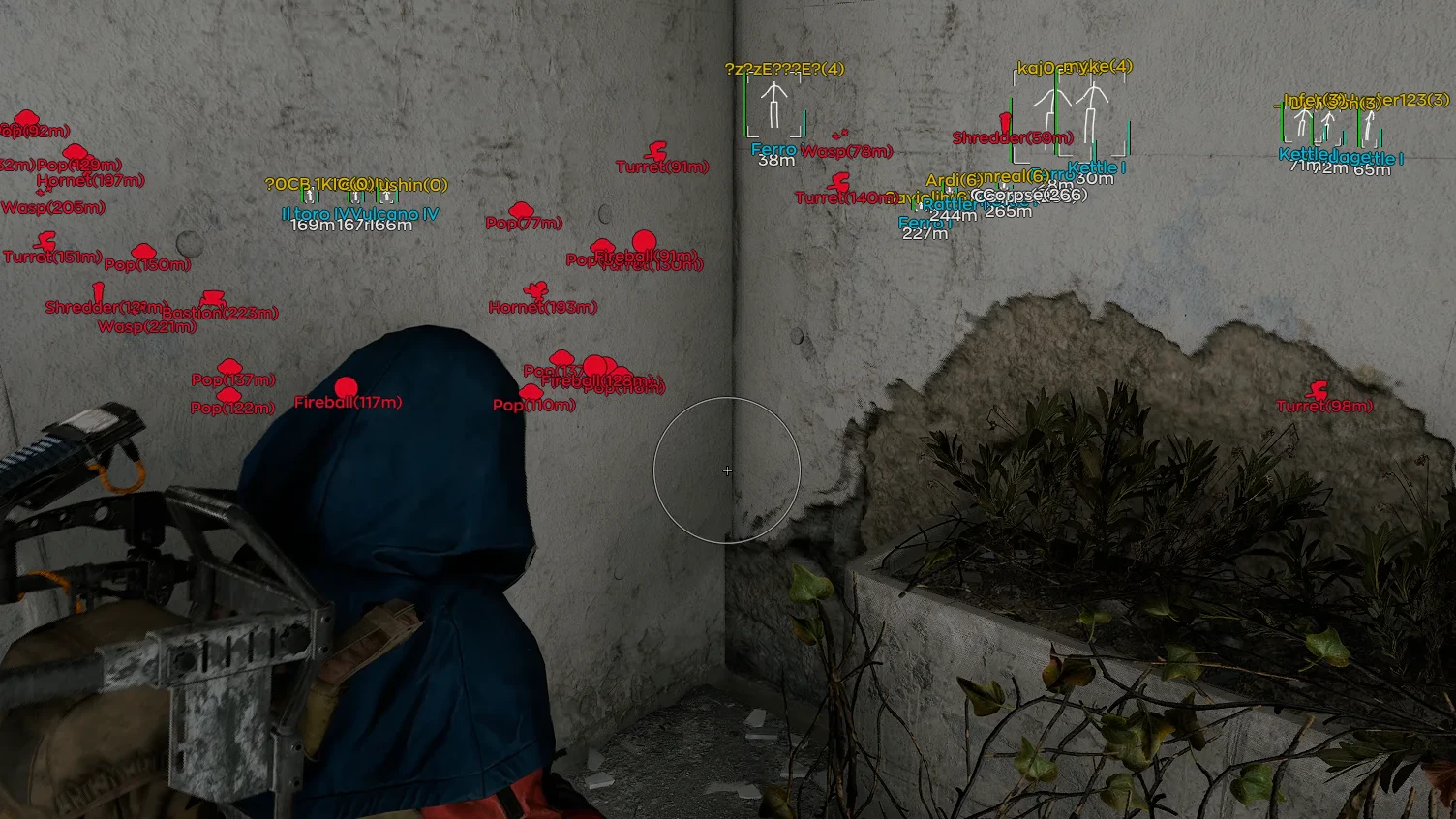
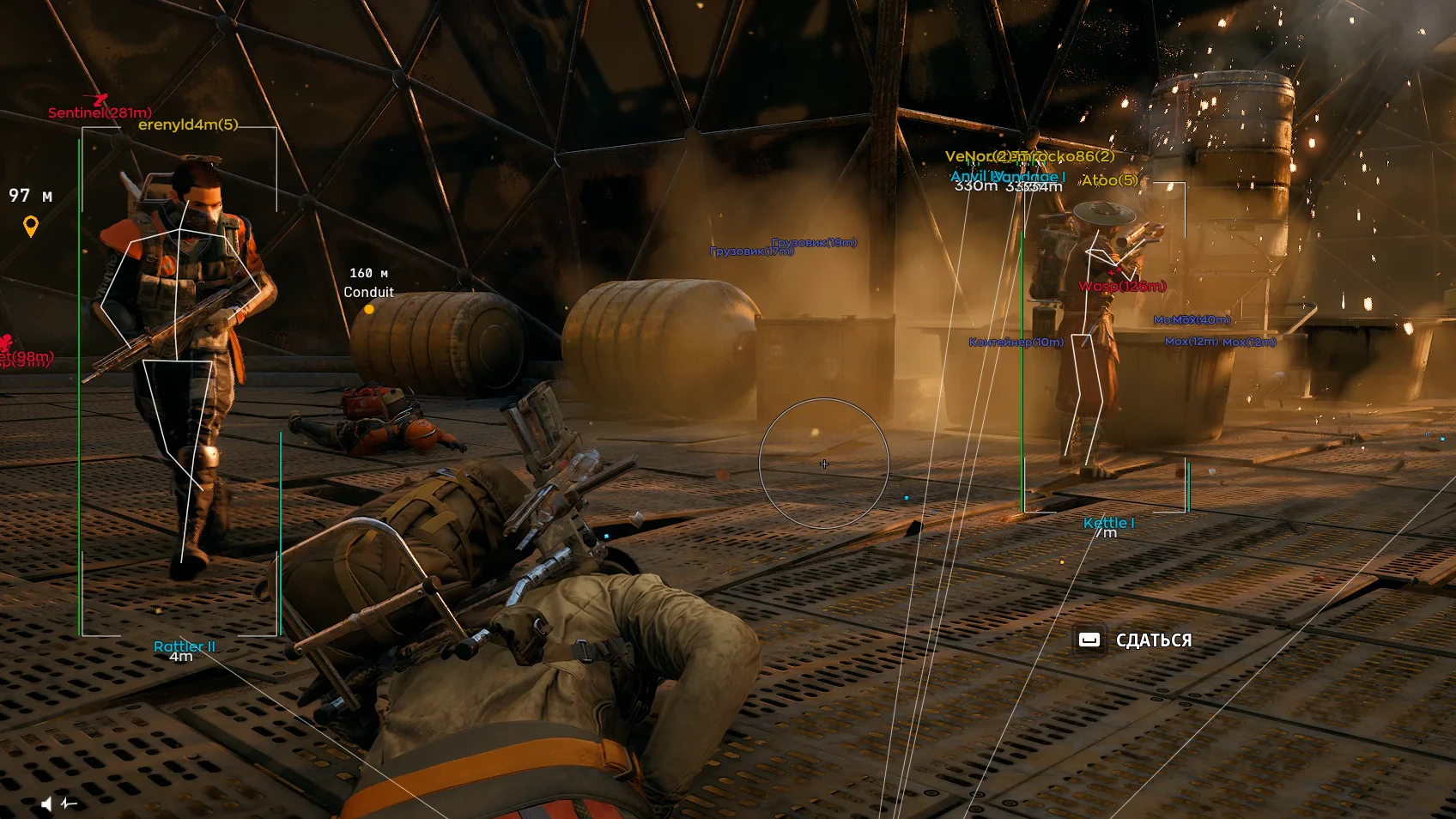
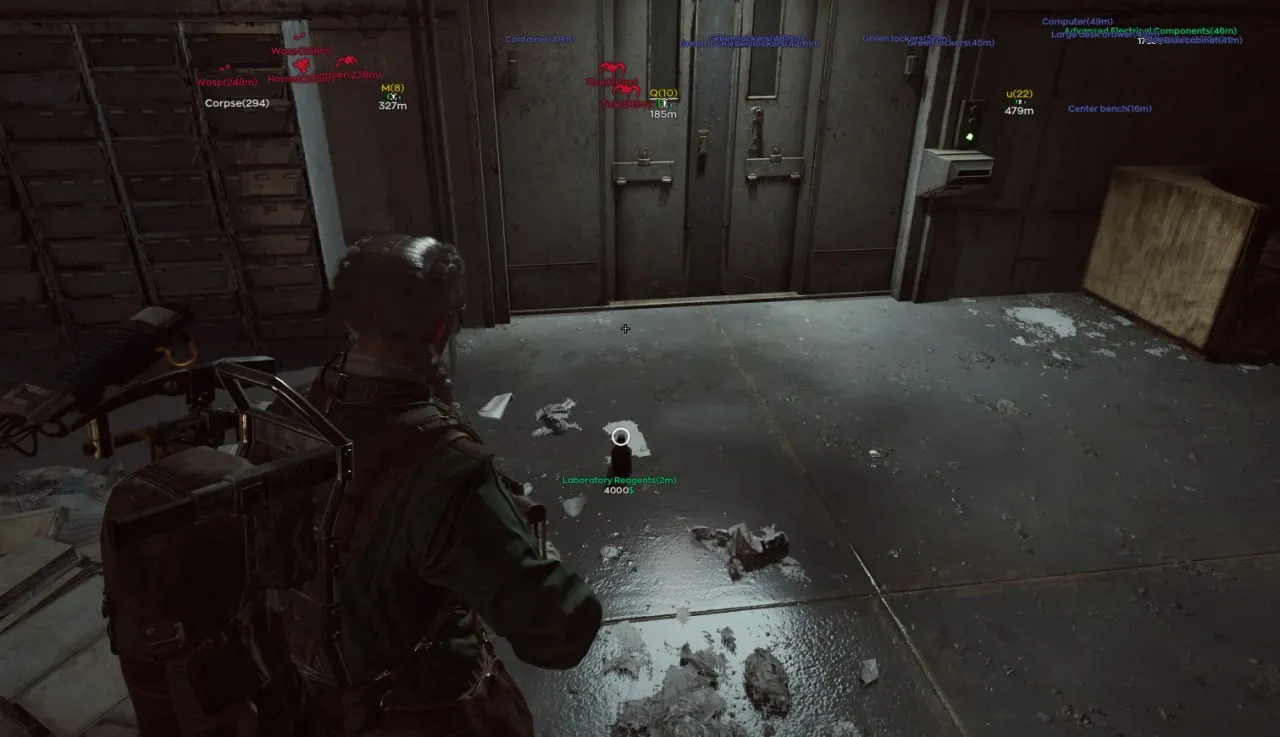
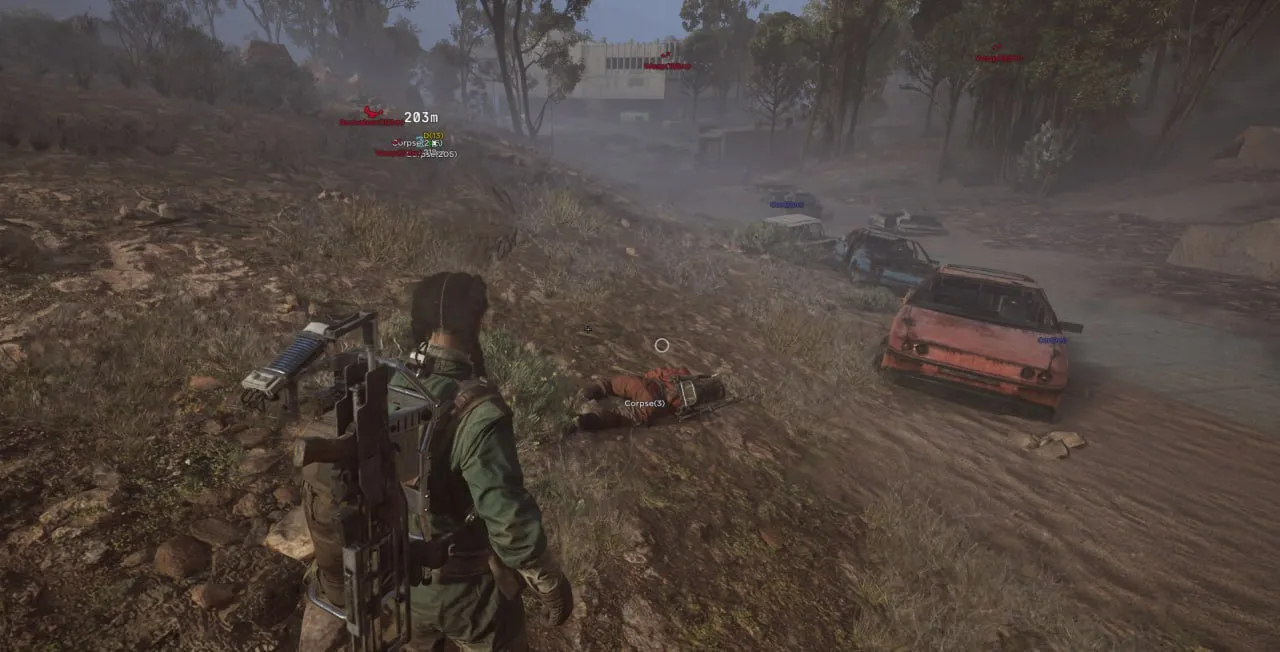
To zoom the image, double-click on it.
System Requirements:
Operating system: Windows 10, Windows 11 (21H2, 22H2, 23H2, 24H2, 25H2) Processor: Intel & AMD Video card: Nvidia & AMD Client: Steam
Section under development
Select Tariff
Payment methods coming soon
Secure payment. Instant access.
Main Features of Ghost Arc Raiders
Aimbot (Aim Bot)
-
Enable
Enables or disables the aimbot -
Aim Key
Sets the key to activate the aimbot -
FOV
Sets the radius of the target acquisition zone -
Smooth
Adjusts the smoothness of aiming -
Max Distance
Maximum distance for aimbot operation -
Priority
Target priority selection -
Closest Bone
Aims at the closest body part of the enemy -
Visible Check
Aimbot works only on visible targets -
Crosshair
Custom crosshair in the center of the screen -
Aim Preview
Preview window for aimbot settings -
Smart Bones
Allows you to select multiple bones for the aimbot at once -
Jitter
Simulates the hand shake when using the aim -
Deadzone
Dead zone in degrees (if the sight is close to the target, the adjustment is disabled) -
Reaction Time
Setting the reaction time between switching targets for the aimbot -
Max Speed
Maximum speed of the aimbot in degrees -
Humanization
Adds "humanity" when targeting enemies -
Knocked Players
The ability to enable aim on knocked player
Visuals (ESP)
-
Enable
Enables or disables player esp -
Box
Displays a box around the player -
Name
Shows the player’s name -
Health
Displays a health bar -
Armor
Shows the armor level -
Weapon
Displays the player's current weapon -
Corpse
Show the bodies of killed raiders -
Team
Shows the player’s team affiliation -
Skeleton
Displays the player's skeleton model -
Snapline
Draws a line from the player to the target -
Distance
Shows the distance to the player -
Max Distance
Maximum esp display distance -
Box Type
Box style selection (default / corner / filled) -
Visible Check
Esp is shown only for visible players -
Font Size
Changes esp text size
Drones ESP
-
Enable
Enables or disables drone display on the map -
Drones Type
Allows selecting the types of drones to display via esp -
Distance
Displays the distance to the drone -
Font Size
Adjusts the text size for drone information -
Max Distance
Maximum drone display distance -
Drone Status
Shows the current status of the drone (alive/dead) -
Wasp
-
Hornet
-
Rocketeer
-
Pop
-
Fireball
-
Tick
-
Turret
-
Sentinel
-
Snitch
-
Bastion
-
Spotter
-
Leaper
-
Surveyor
-
Queen
-
Bombardier
-
Shredder
-
Matriarch
-
Vaporizer
Loot ESP
-
Enable
Enables display of items/containers on the map -
Price
Item value filter, allows showing only loot above a selected price -
Container Type
Allows selecting categories of containers to display -
Distance
Shows distance to the item -
Font Size
Adjusts the text size for item information -
Max Distance
Maximum display distance for items -
Items List
A full list of items with filters to display only the desired ones -
Container Status
Shows whether the container/box was opened earlier -
Weapon Icons
Includes the display of icons for any weapon -
By Search
Search for an item in the cheat menu by name -
Lockers
-
Crates
-
Furniture
-
Trash containers
-
Plants and fruits
-
Vehicles
-
Weapon crates
-
Shelves
-
Cabinets
-
Electronics
-
Servers and machines
-
Wall panels
-
Bags and suitcases
-
Special (others)
-
Corpse
Other Ghost ARC Features
-
ESP Drag & Drop
You can drag and drop esp elements into the preview window and back -
Colored Flashlight
Changes the flashlight color -
Rapid Fire
Increases weapon fire rate -
Radar
Displays a radar with players and objects -
Range
Radar operation radius -
Player Radius
Radius for player display on the radar -
Menu Key
Key to open the menu -
Battle Mode
Hides certain visual elements during active combat -
OBS Bypass
Hides cheat overlay from obs recording/streaming -
DPI Scale
Interface scale of the menu -
Save Config
Saves current settings -
Load Config
Loads the previously saved configuration
Safety and Reliability of Ghost Arc Raiders
Private cheat Ghost Arc Raiders is developed with modern anti-cheat systems in mind and is regularly updated to maintain "Undetected" status. All purchase data is stored encrypted and is available only to you and our support service.
2-Minute Purchase Process:
- Choose payment method (FunPay or direct)
- Pay for selected tariff
- Receive access email within 2 minutes
- Follow instructions for activation
Reviews from our FunPay customers for 2026
There are no reviews for this product yet.
Other ARC Riders Products
Unnamed ARC Raiders Cheat
- Player WallHack
- Robot WallHack
- World & Loot ESP
Arcane Private Arc Raiders
- Aimbot
- Player WallHack
- Robot WallHack
- World & Loot ESP
Dullwave Arc Raiders Hack
- Aimbot
- Player WallHack
- Robot WallHack
- World & Loot ESP
Ancient Cheat for Arc Raiders
- Aimbot
- Player WallHack
- Robot WallHack
- World & Loot ESP
- Radar
Arcane Arc Raiders Map Radar
- Web-Radar
- Players Radar
- Loot Radar