Arcane Arc Raiders Map Radar
Status: Updating

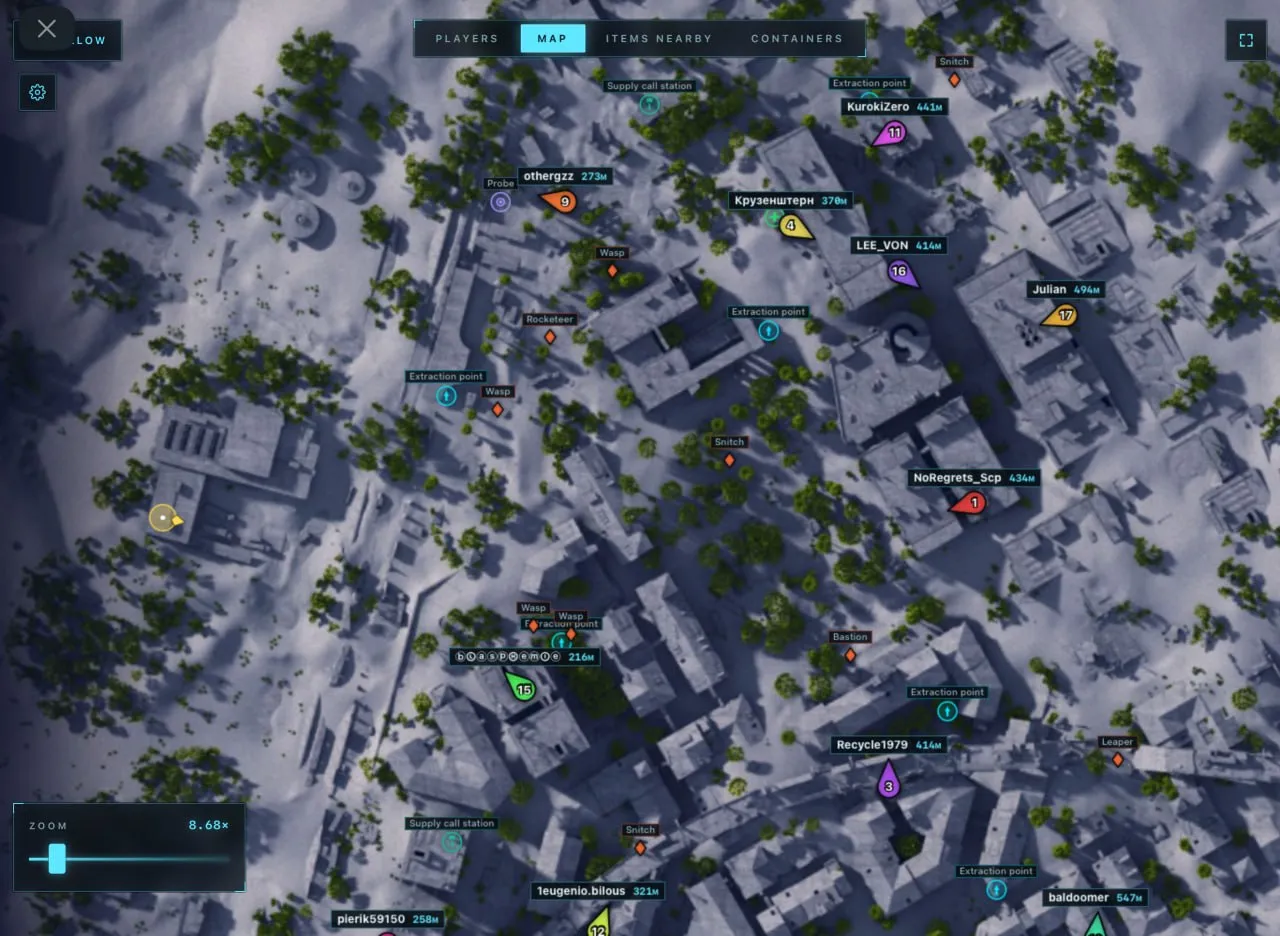
To zoom the image, double-click on it.
System Requirements:
Operating system: Windows 10, Windows 11 (21H2, 22H2, 23H2, 24H2, 25H2) Processor: AMD & Intel Video card: AMD & NVIDIA Client: Epic Games, Steam, Microsoft Store (Xbox)
Section under development
Installation Guide
Follow the detailed instructions to activate Arcane Arc Raiders Map Radar cheat
Open GuideSelect Tariff
Secure payment. Instant access.
Main Features of Arcane Arc Raiders Map Radar
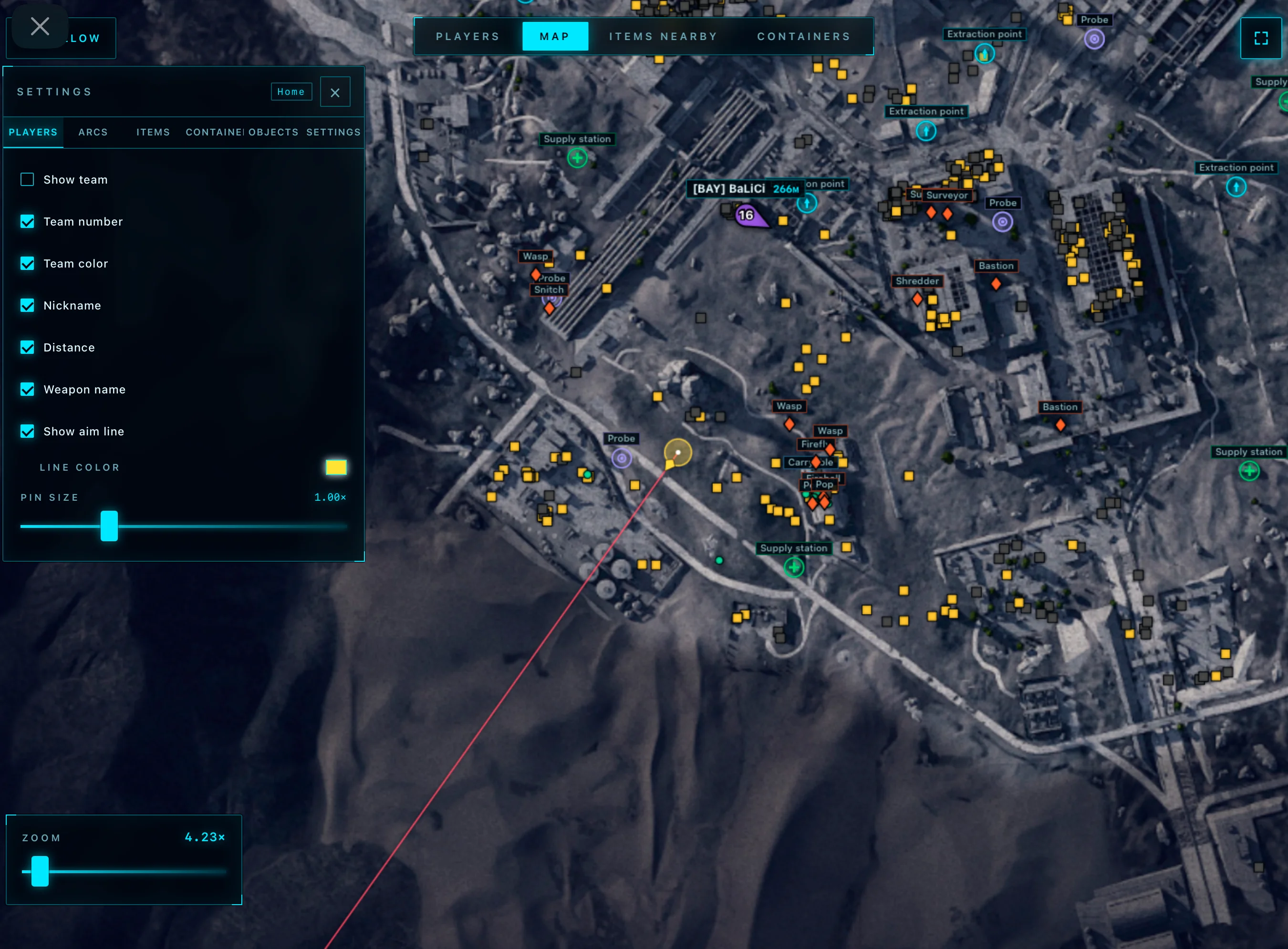
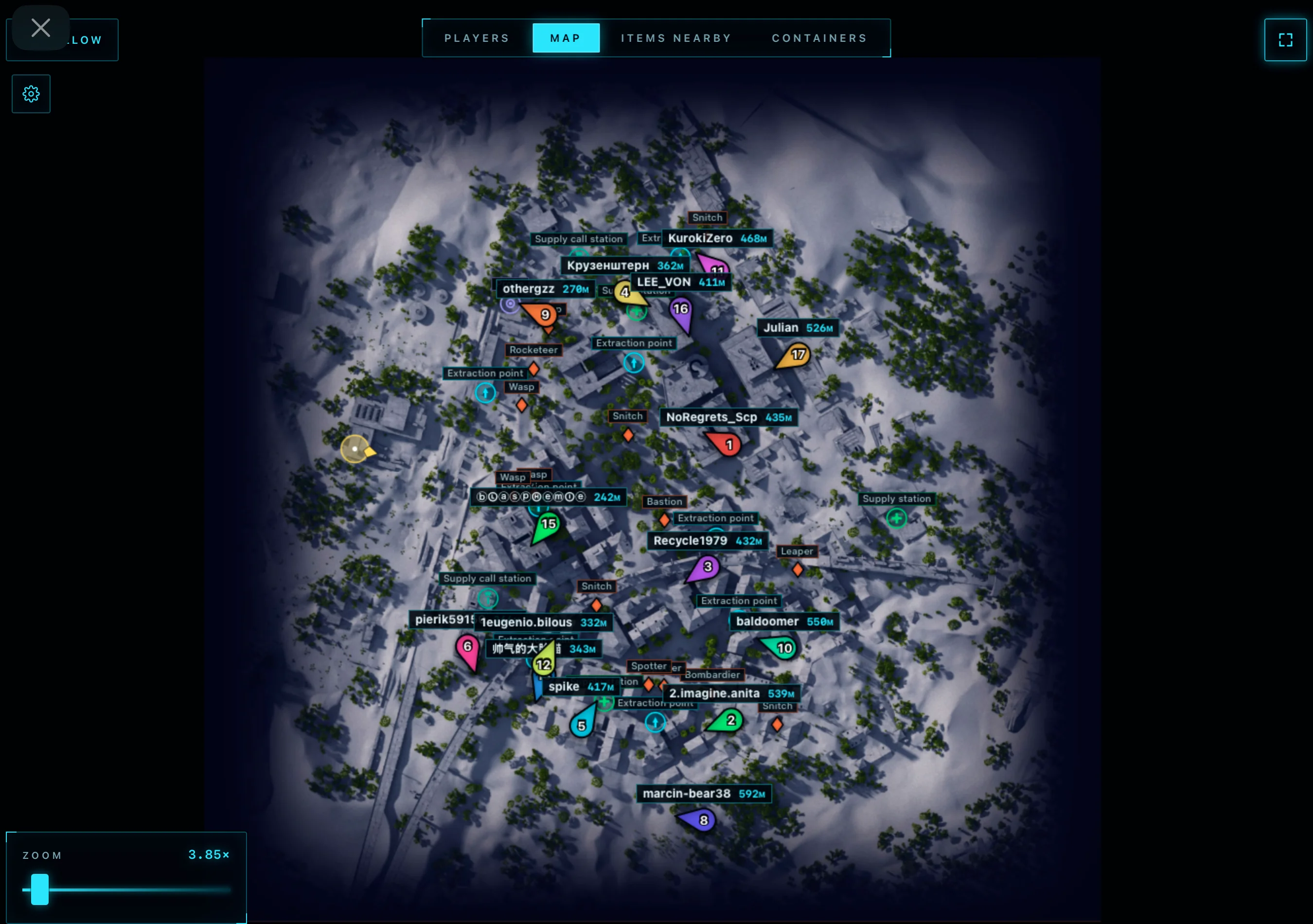
Players
-
Show Team
Displays squads of all players in the match (can show everyone or only selected players) -
Team Number
Shows the team number next to each player -
Team Color
Colors players according to their team for easier navigation -
Nickname
Displays player nicknames -
Distance
Shows the distance to each player -
Show Aim Line
Displays the line indicating the player's viewing direction -
Players Size
Changes the size of player markers on the radar
Items and Loot
-
Show Items
Displays items located on the map -
Show Name
Shows the name of each item -
Show Distance
Displays the distance to items -
Font Size
Changes the text size for items -
Opacity
Adjusts the transparency of displayed items -
Category Selector
Allows selecting only the needed item categories for display
Drones (ARCs)
-
Show ARCs
Displays all detected arcs on the map -
Show Name
Shows the name of each arc -
Show Distance
Displays the distance to the arc -
Font Size
Changes the text size for drones
Containers and Objects
-
Show Containers
Displays all available containers on the map -
Hide Opened
Hides already opened containers -
Show Name
Displays the container name -
Show Distance
Shows the distance to the container -
Font Size
Changes the font size for containers -
Opacity
Adjusts the transparency of container markers -
Types Selector
Allows selecting which types of containers and objects to display -
Extraction Points
Extraction points -
Supply Call Station
Supply call stations -
Supply Station
Supply stations -
Power Station
Power stations -
Probe
Probes -
Mine
Mines -
Quest
Quest objects -
Carryable
Carryable items -
Grenade
Grenades
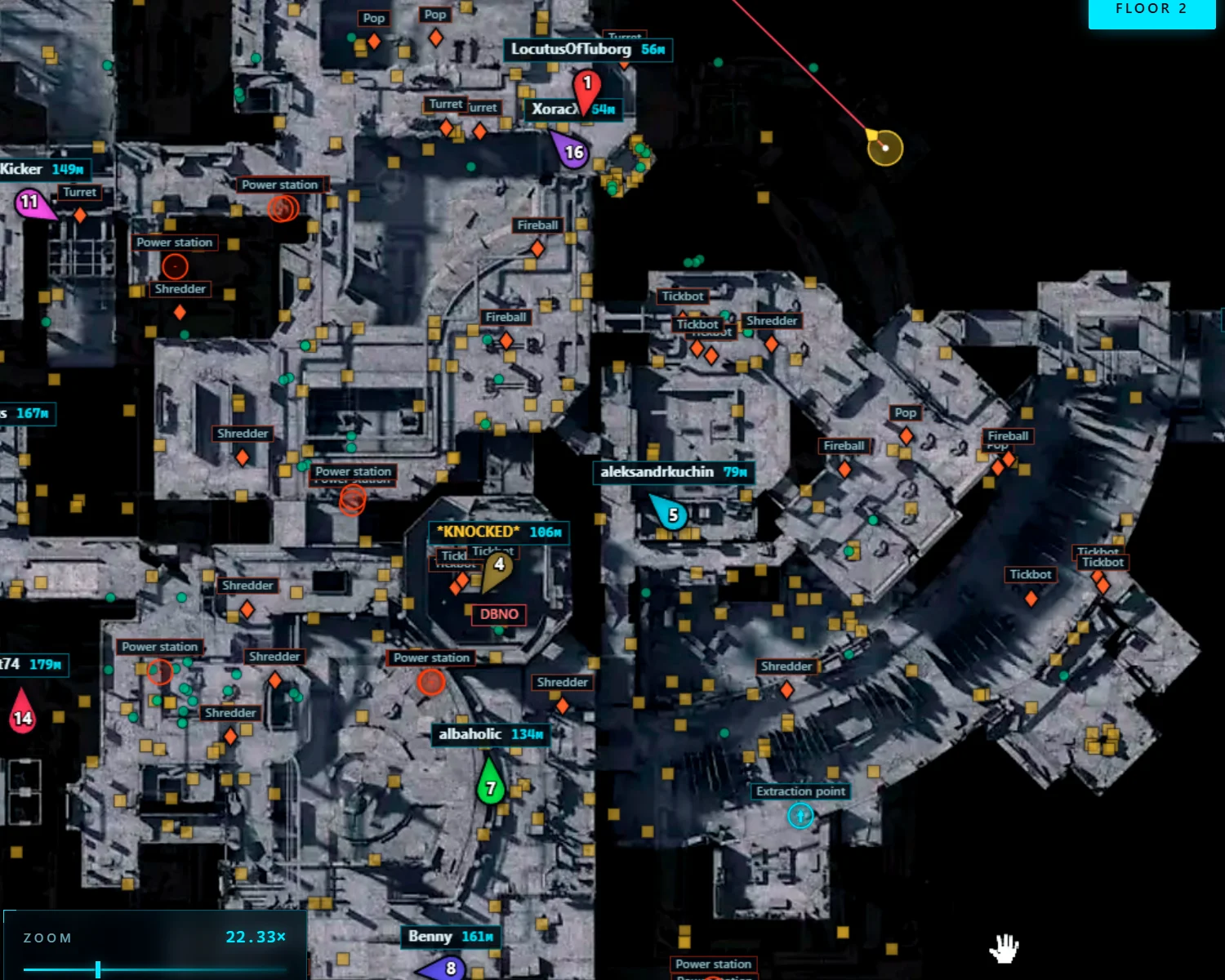
Player Table
-
Team Number
Displays the player’s team number -
Name
Shows the player’s nickname -
Weapon
Displays the weapon being used -
Health
Shows the current health level -
Distance
Displays the distance to the player -
Show
Highlights the selected player on the map -
Route
Creates a route to the selected player
Nearby Items Table
-
Search for Nearby Items
Displays a list of nearby items -
Name
Shows the item name -
Distance
Displays the distance to the item -
Show Item
Highlights the item on the map -
Route to Item
Creates a route to the selected item
Nearby Containers Table
-
Status
Displays the container status (opened or closed) -
Name
Shows the container name -
Type
Displays the container type -
Distance
Shows the distance to the container -
Show Container
Highlights the container on the map -
Route to Container
Creates a route to the selected container
Other Arcane ARC Raiders Radar Features
-
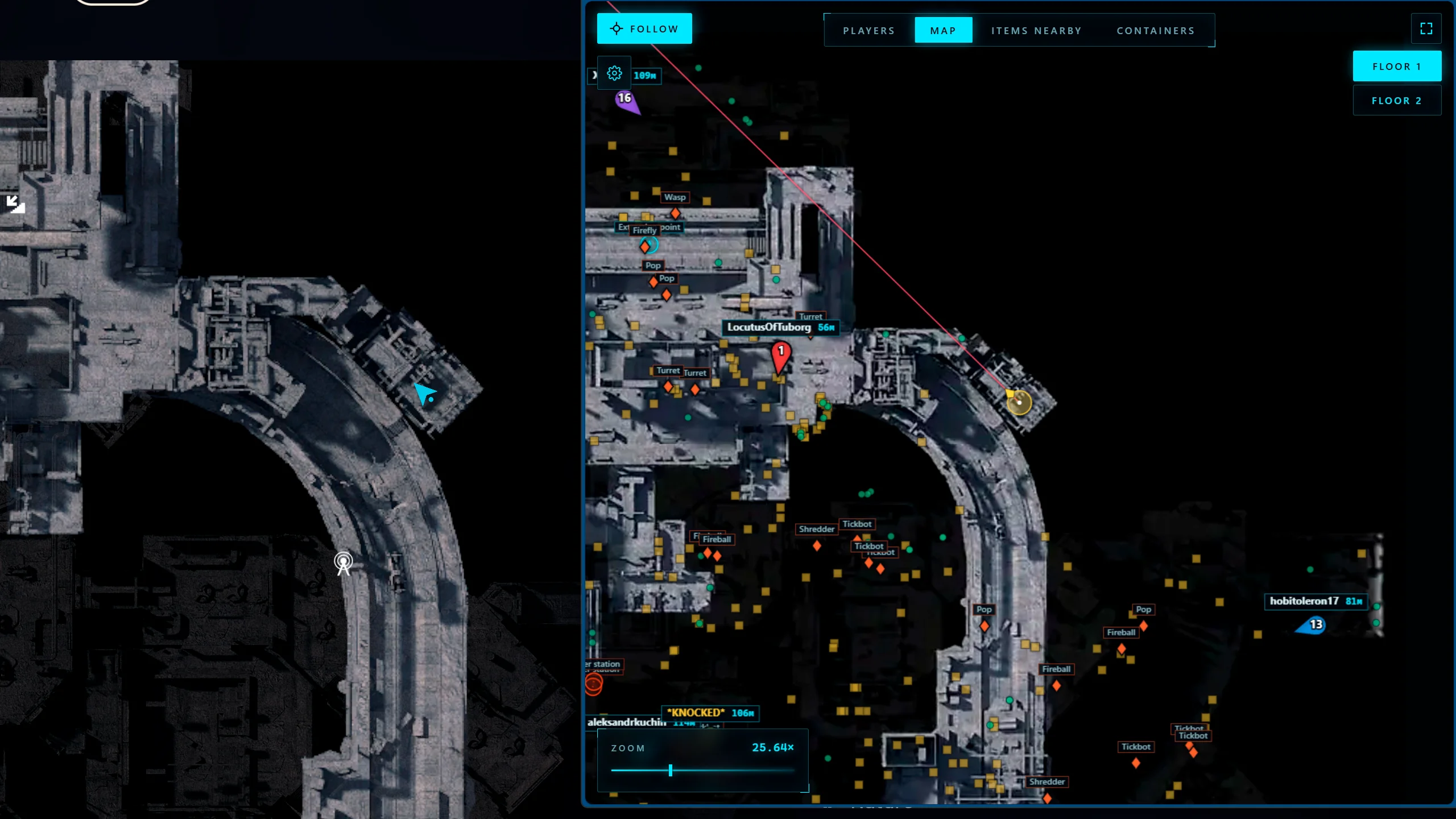
Browser Radar
This type of radar works through a browser and allows launching the map on any device (second monitor, laptop, tablet, steam overlay, smartphone, etc.) -
Share Link
Ability to share the radar with a teammate via a link
Safety and Reliability of Arcane Arc Raiders Map Radar
Private cheat Arcane Arc Raiders Map Radar is developed with modern anti-cheat systems in mind and is regularly updated to maintain "Undetected" status. All purchase data is stored encrypted and is available only to you and our support service.
2-Minute Purchase Process:
- Choose payment method (FunPay or direct)
- Pay for selected tariff
- Receive access email within 2 minutes
- Follow instructions for activation
Reviews from our FunPay customers for 2026
There are no reviews for this product yet.
Other ARC Riders Products
Unnamed ARC Raiders Cheat
- Player WallHack
- Robot WallHack
- World & Loot ESP
Arcane Private Arc Raiders
- Aimbot
- Player WallHack
- Robot WallHack
- World & Loot ESP
Dullwave Arc Raiders Hack
- Aimbot
- Player WallHack
- Robot WallHack
- World & Loot ESP
Ancient Cheat for Arc Raiders
- Aimbot
- Player WallHack
- Robot WallHack
- World & Loot ESP
- Radar
Ghost Arc Raiders
- Aimbot
- Player WallHack
- Robot WallHack
- World & Loot ESP
- Radar
- OBS Bypass