Arcane WARDOGS Cheat Guide - Complete Installation and Setup Tutorial
Detailed installation and setup guide for Arcane WARDOGS Cheat on WARDOGS
Back to Arcane WARDOGS Cheat descriptionFrequently Asked Questions about Arcane WARDOGS Cheat
❓ How to launch Arcane WARDOGS Cheat?
Follow the guide below. The process usually includes downloading, installing and activating the cheat.
📥 How to download loader for Arcane WARDOGS Cheat?
Click the button on the right, pass captcha — and you'll be redirected to the Telegram bot with the link.
⚡ System Requirements
🎥 Arcane WARDOGS Cheat Installation Video Guide
Step-by-step video guide for installing and configuring Arcane WARDOGS Cheat
Step-by-Step Installation Guide for Arcane WARDOGS Cheat
Software Usage Guide
Step-by-step guide for downloading and launching our software:
Step 1: Preparation
After payment, you will receive:
- a key to activate access to the cheat,
- a link to this manual.
Prepare your PC:
-
Completely disable Windows Defender (real-time protection). Remove other antivirus programs if installed.
-
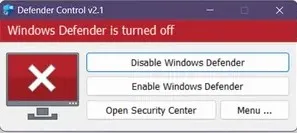
We recommend disabling Windows Defender using Defender Control, download here (password: sordum). It should be red, with a red cross.
-
Uninstall: Faceit AC, Riot Vanguard, ACE (AntiCheatExpert).
-
Completely disable all third-party overlays, like Nvidia, AMD, steelseries, etc.
-
Download and setup Medal or Discord overlay (required for the cheat to work properly):
Option 1 — Medal:
- Download from medal.tv
- Install and launch Medal
- Log in
- The overlay is ready — to check use default hotkey F8
Option 2 — Discord:
- Download from discord.com/download
- Install and launch Discord
- Go to User Settings (gear icon near your avatar)
- Select "Game Overlay" section
- Enable "Enable in-game overlay"
- Disable "Legacy overlay" (if present)
- Enable Hardware Acceleration
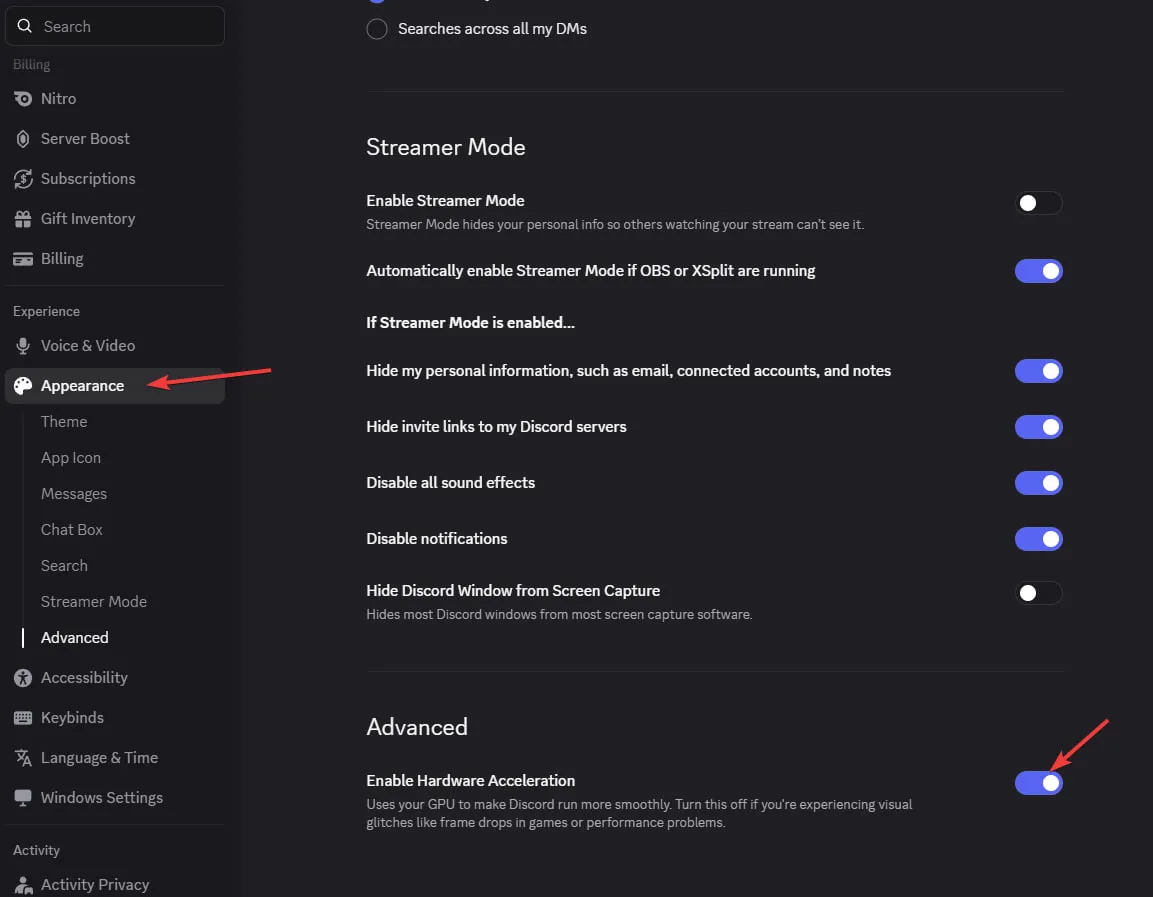 - Important: If you see "No available overlays" — turn the overlay OFF and ON again
- Enter the game without the cheat and set the screen mode to "Borderless" or "Windowed", the software will not work in "Full Screen".
Step 2: Loader Installation & Key Activation
-
Download the loader from the "Frequently Asked Questions" section above by clicking the "Download loader" button.
-
Enter your key and press Enter in the loader window. To paste the copied key into the loader window, right-click on the window.
-
After a short load, authorization will occur, and you will see the main tab. Select software, check subscription expiration date and status:
-
For supported games, you will be prompted to clear traces of previous bans. Click "Yes" if you need to.
-
For supported games, you will be prompted to use a spoofer. Click "Yes" if you need to.
-
The loader will automatically close after successful loading.
-
Start your game. Injection takes up to 3 minutes after opening the game's main menu.
Step 3: How to Open/ Close the cheat menu
-
The cheat menu is opened/closed by pressing the "Insert" key.
-
To completely unload (disable) the software, use the "END" key. It is recommended to press it before exiting the game.
Step 4: FAQ for Common Issues
- Windows Defender / Antivirus enabled → fully disable.
- Update Visual C++ libraries → Download.
- Update DirectX → Download.
- Remove FaceIt / Riot Vanguard anticheats.
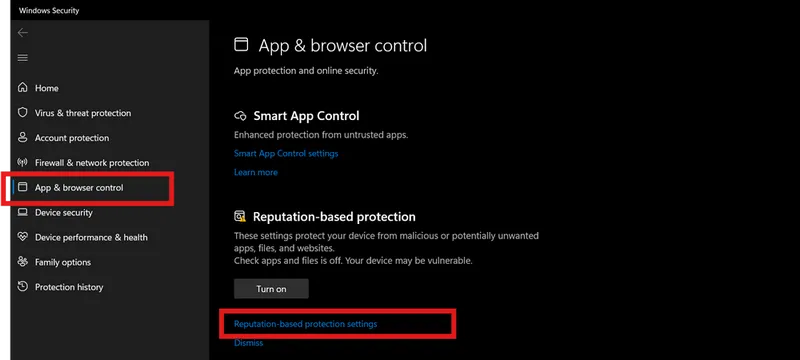
- Disable Reputation-based Protection:
- Start → type Reputation-based Protection.
-
Disable all options.
-
Sync system time (Windows Settings → Time & Language → Sync).
- ESP displays incorrectly → scaling 100% + same in-game resolution.
- Loader fails → try with VPN.
- Disable Core Isolation.
- Disable Secure Boot in BIOS.
- Injection/gameplay issues → switch screen mode (Borderless / Windowed).
📝 Additional Information
🔒 Security and Anonymity
Our product receives regular updates to ensure maximum security and compatibility with the latest game versions.
🆘 Technical Support
If you encounter any issues with installation or operation, contact our technical support.