Arcane WARDOGS Cheat
Status: Undetected
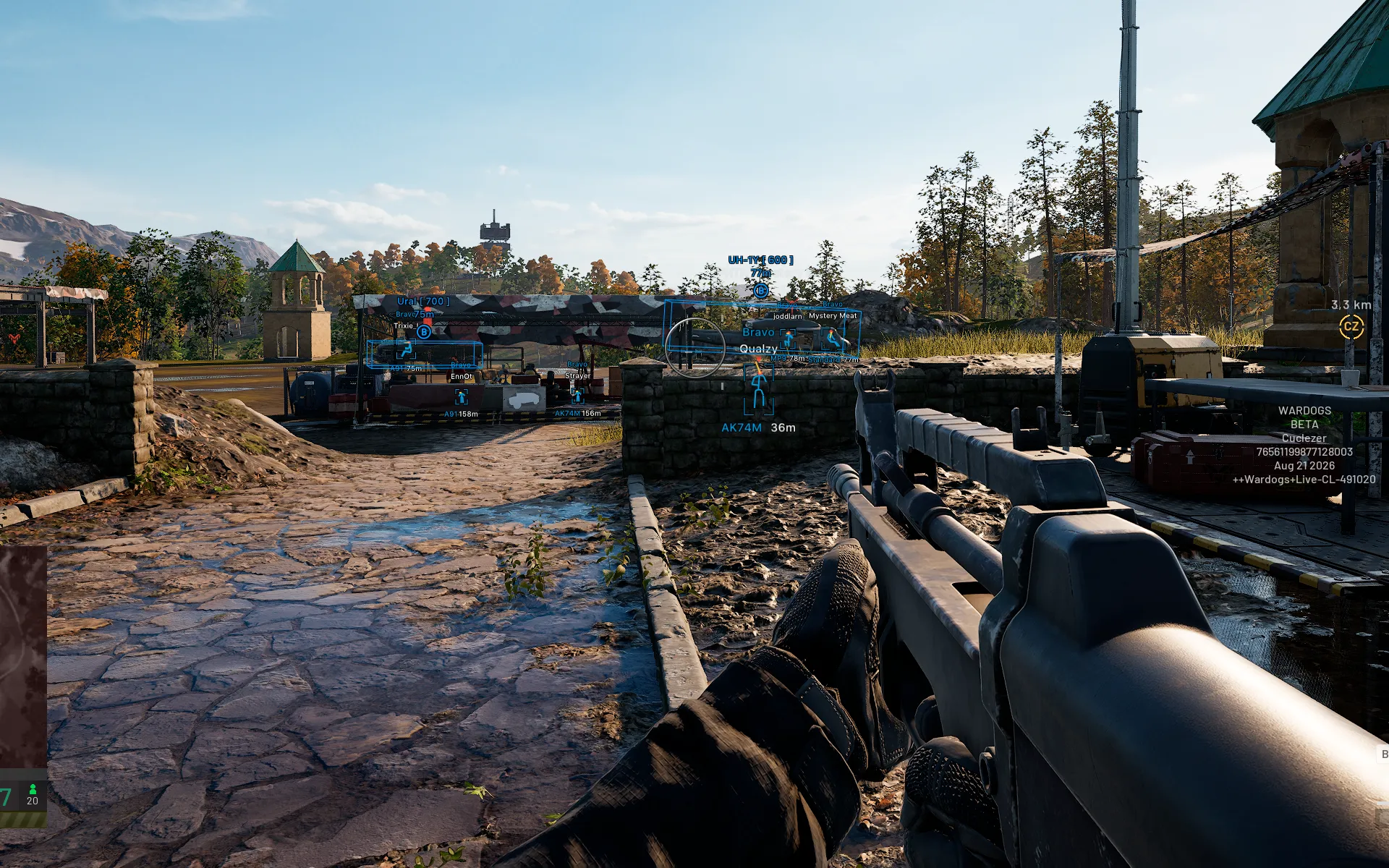
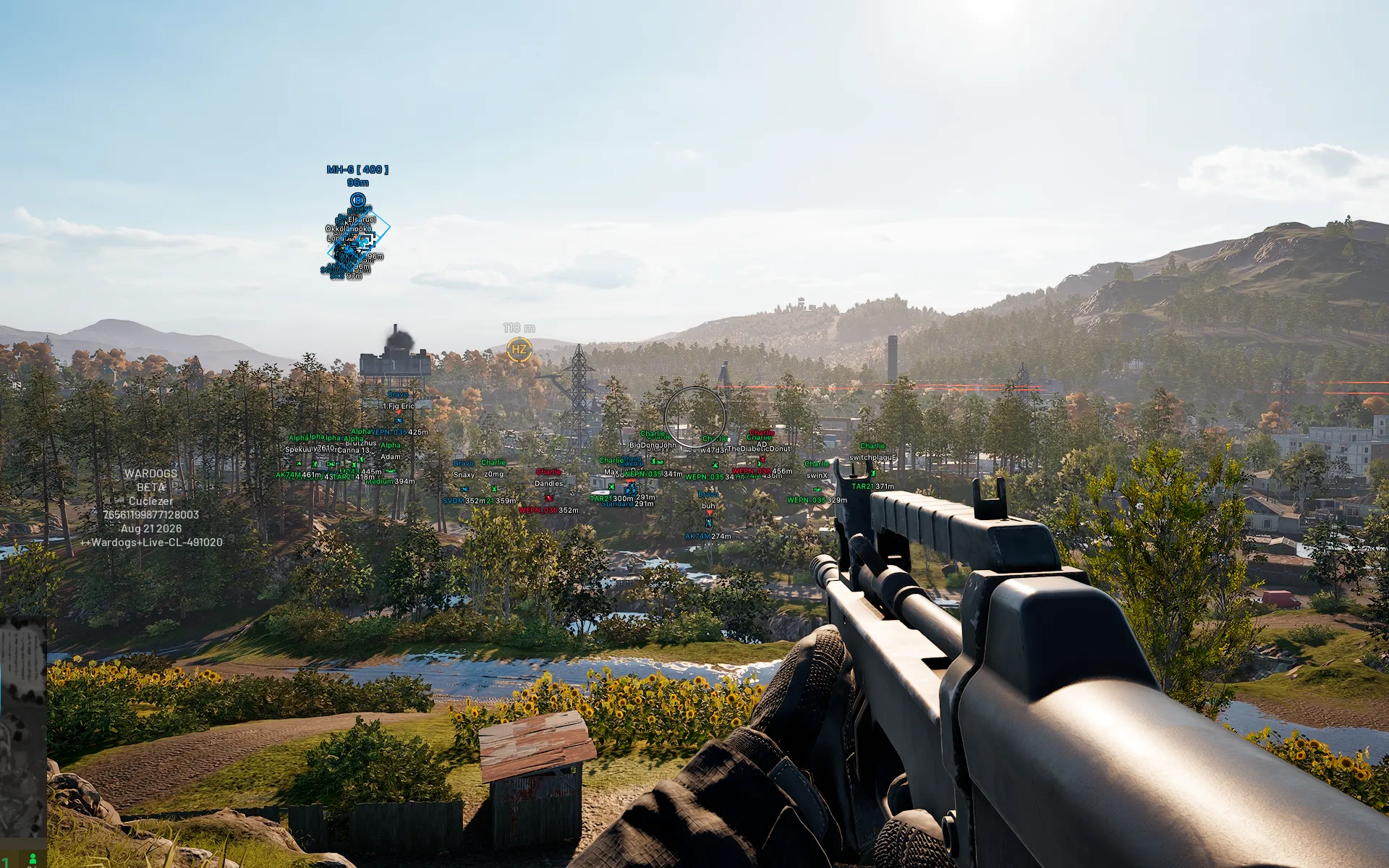
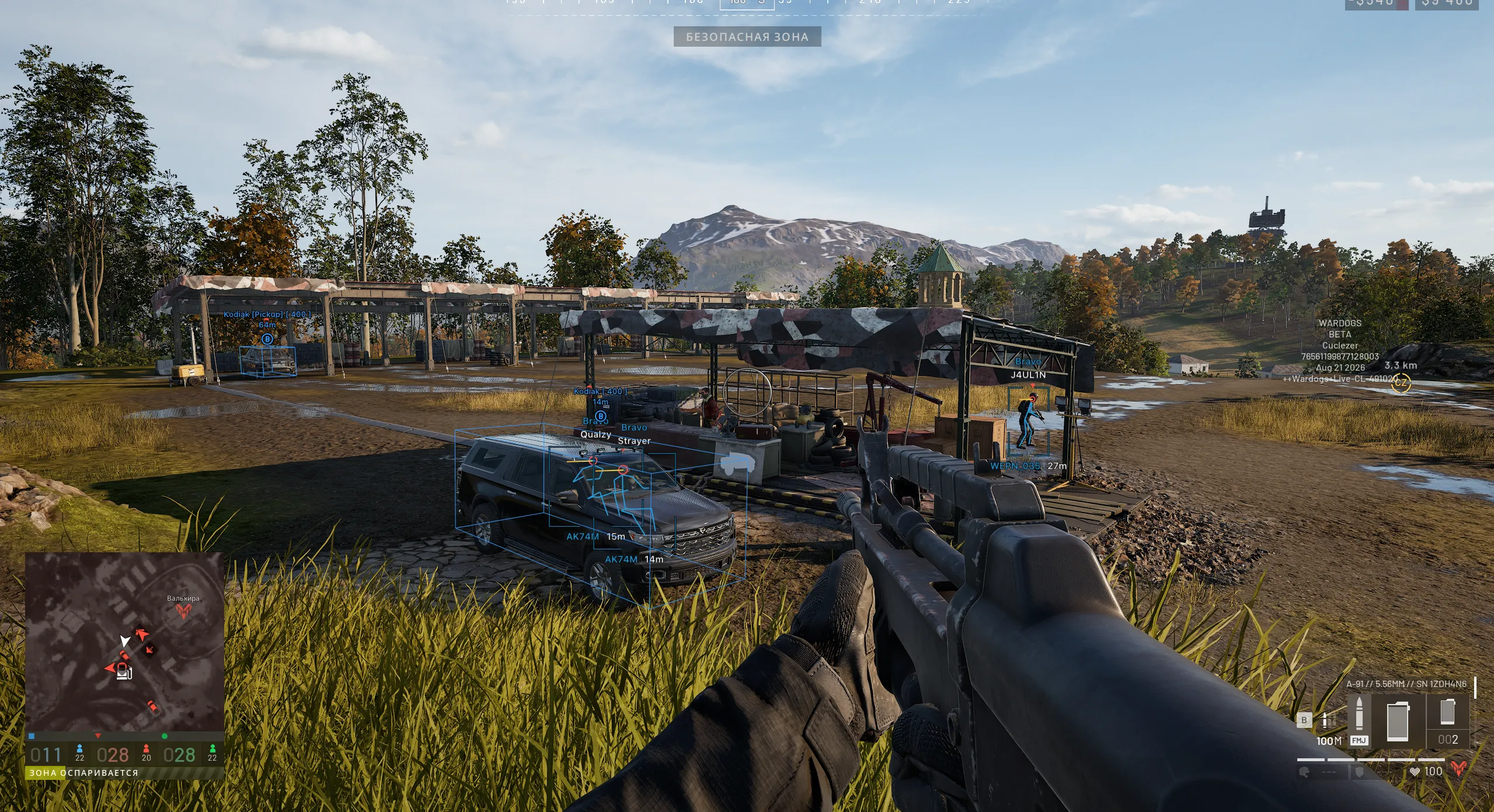
To zoom the image, double-click on it.
System Requirements:
Operating system: Windows 10, Windows 11 (21H2, 22H2, 23H2, 24H2, 25H2) Processor: AMD & INTEL Video card: AMD & NVIDIA Client: Steam
Section under development
Installation Guide
Follow the detailed instructions to activate Arcane WARDOGS Cheat cheat
Open GuideSelect Tariff
Secure payment. Instant access.
Main Features of Arcane WARDOGS Cheat
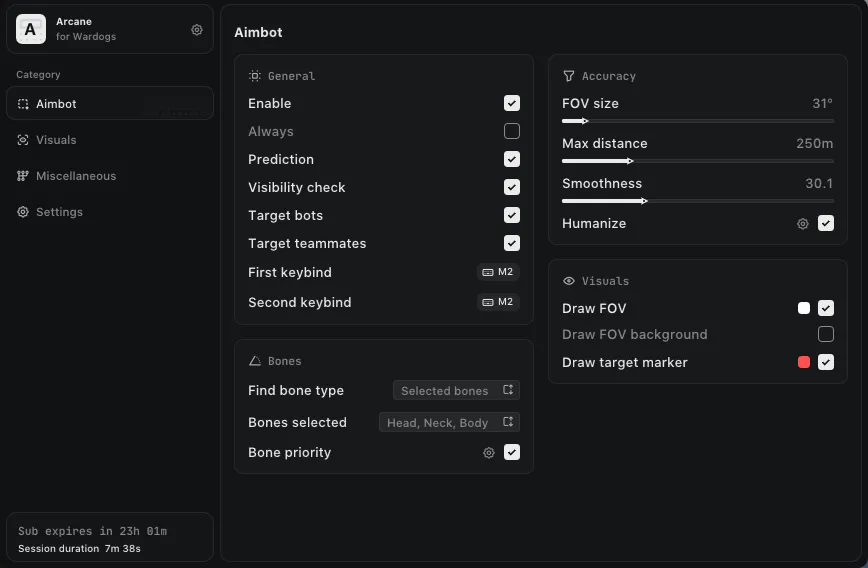
Aimbot
-
Enable
Turns the aimbot on/off -
Silent Aim
Bullets reach the target in the fov area without the crosshair moving -
Vector Aim
A natural-looking aimbot with smooth targeting (legit) -
Teleport Bullet
Instant teleport bullets to enemies, bypassing distance and ballistics -
Always
Allows the aimbot to work constantly without holding a key -
Prediction
Accounts for target movement for more accurate aiming -
Visibility Check
Ignores targets behind obstacles -
Target Bots
Aim at bots -
Target Teammates
Aim at teammates -
First Keybind
Assigns the first aimbot activation key -
Second Keybind
Assigns the second aimbot activation key -
Find Bone Type
Allows you to choose the method for determining priority bones -
Bones Selected
Selects bones for aimbot targeting (head, neck, body) -
Bone Priority
Sets the priority for bone selection when aiming -
FOV
Adjusts the size of the area used by the aimbot to acquire targets -
Adaptive FOV
Automatically adjusts the target acquisition area -
Smoothness
Adjusts how smoothly the aim moves to the selected target -
Max Distance
Sets the maximum aimbot working distance -
Humanize
Adds a more natural aiming trajectory -
Draw FOV
Displays the aimbot working area on the screen -
Draw FOV Background
Adds a background inside the fov area -
Draw Target Marker
Shows a marker for the current target
ESP
-
Bounding Box
Displays rectangular boxes around players -
Box Style
Allows you to choose the box display style -
Fill Box
Adds a fill inside esp boxes -
Fill Style
Allows you to choose the fill style -
Skeleton
Displays the player's esp skeleton -
Line to Enemy
Draws a line from the player to the enemy -
Viewline
Shows the direction the player is looking -
Health Bar
Display hp of players in the form of a bar -
Game Nickname
Displays the player's nickname -
Team Name
Shows the team name -
Distance
Displays the distance to the player -
Weapon in Hands
Shows the weapon in the player's hands -
Team Colors
Uses different colors to display players depending on their team -
Visibility Check
Players in line of sight and behind walls are colored differently -
Max Distance
Sets the maximum distance for displaying players -
Dropped Item
Allows ground items to be displayed -
Vehicle
Displays vehicles on the map -
World
Display other objects in the game -
Corpses
Display the bodies of killed players
Other Arcane WARDOGS Features
-
Menu Key
Assigns a key to open the mod menu -
Unload Key
Assigns a key to unload the mod menu -
Crosshair
Allows you to enable an additional crosshair and configure its display -
DPI Scale
Adjusts the scale of the mod menu interface -
FPS Limit
Allows you to set the maximum frame rate limit -
No Recoil
Disables weapon recoil for more stable shooting -
No Spread
Completely removes bullet spread -
No Sway
Disables weapon sway while aiming -
Fullbright
Makes dark areas of the map significantly brighter for better visibility -
Battle-Mode
Hides unnecessary esp and leaves only vh on players (by bind) -
FOV Changer
Changes the field of view -
Super Zoom
Changes the zoom level
Safety and Reliability of Arcane WARDOGS Cheat
Private cheat Arcane WARDOGS Cheat is developed with modern anti-cheat systems in mind and is regularly updated to maintain "Undetected" status. All purchase data is stored encrypted and is available only to you and our support service.
2-Minute Purchase Process:
- Choose payment method (FunPay or direct)
- Pay for selected tariff
- Receive access email within 2 minutes
- Follow instructions for activation
Reviews from our FunPay customers for 2026
There are no reviews for this product yet.
Other WARDOGS Products
Ancient Hack For Wardogs
- Aimbot
- Player WallHack
- Loot ESP
- Radar
GHOST WARDOGS Hack
- Aimbot
- Player ESP
- Loot ESP
- Vehicle ESP
- Radar
Pussycat WARDOGS Software
- Aimbot
- Players ESP
- World ESP
- Other Pussycat WARDOGS Features
Dullwave WARDOGS
- Aimbot (Aim)
- Players ESP
- Building ESP
- Vehicle ESP
- Loot ESP
- Radar Hack
Phoenix WARDOGS
- Aimbot
- Weapon
- Artillery
- Players ESP
- Loot & World ESP
- Vehicles
- Chams (Wallhack)
- Glow
- Radar Hack
- View & Camera
- Weather Editor
- Other Phoenix WARDOGS Features