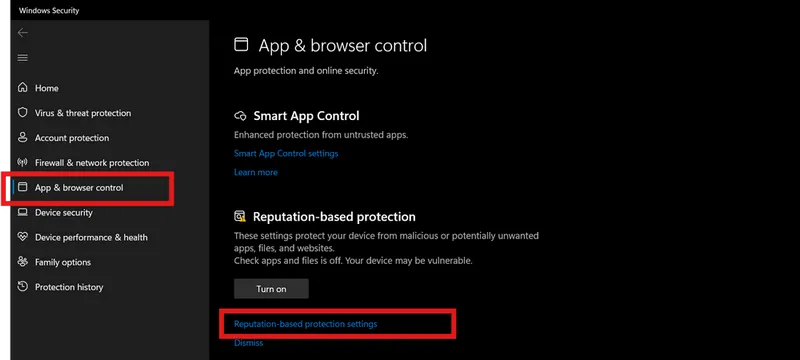
Step 1: Preparation
After payment, you will receive: - a key to activate access to the cheat, - a link to this manual.
Prepare your PC:
Completely disable Windows Defender (real-time protection). Remove other antivirus programs if installed.
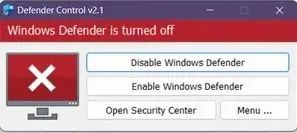
We recommend disabling Windows Defender using Defender Control, download here (password: sordum). It should be red, with a red cross.
Uninstall: Faceit AC, Riot Vanguard, ACE (AntiCheatExpert).
If you have an NVidia video card, you will need the Nvidia GeForce Experience overlay enabled to run the software. You can download Nvidia GeForce Experience using this link. To enable the overlay, go to Settings - In-game overlay - Enable.
If you have an AMD video card, you will need Steelseries software, you can download it using this link. You will also need to register in this program. Then go to Settings - General - Enable Sonar. Next, go to Settings - Sonar - Shortcuts - Master. Bind the F7 key to "Volume - Up". You need to click this button before pressing LOAD in the loader and before injecting.
For games [Ancient Apex, Ancient Rust, Ancient Delta Force, Ancient Arc Raiders, Ancient WARDOGS] a Medal or Discord overlay is required (the cheat will not work correctly without it):
Option 1 — Medal:
- Download from medal.tv
- Install and launch Medal
- Log in
- The overlay is ready — to check it press the F8 hotkey
Option 2 — Discord:
- Download from discord.com/download
- Install and launch Discord
- Go to User Settings → "Game Overlay"
- Enable "Enable in-game overlay"
- Disable "Legacy overlay" (if present)
- Enable Hardware Acceleration
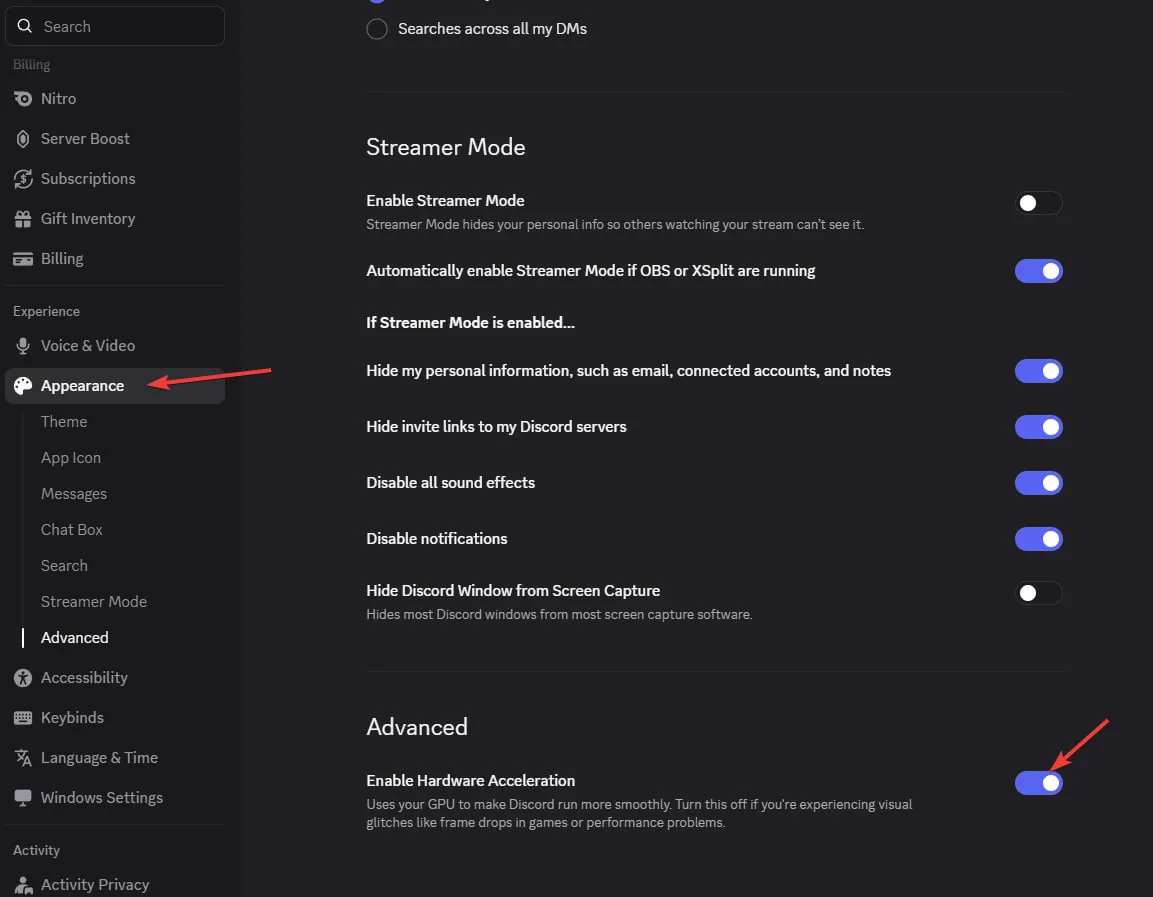 - Important: If you see "No available overlays" — turn the overlay OFF and ON again
For the other games — set up an Nvidia or AMD (Steelseries) overlay as described below.
Enter the game without the cheat and set the screen mode to "Borderless" or "Windowed", the software will not work in "Full Screen".