Ancient Hack For Wardogs
Status: Undetected
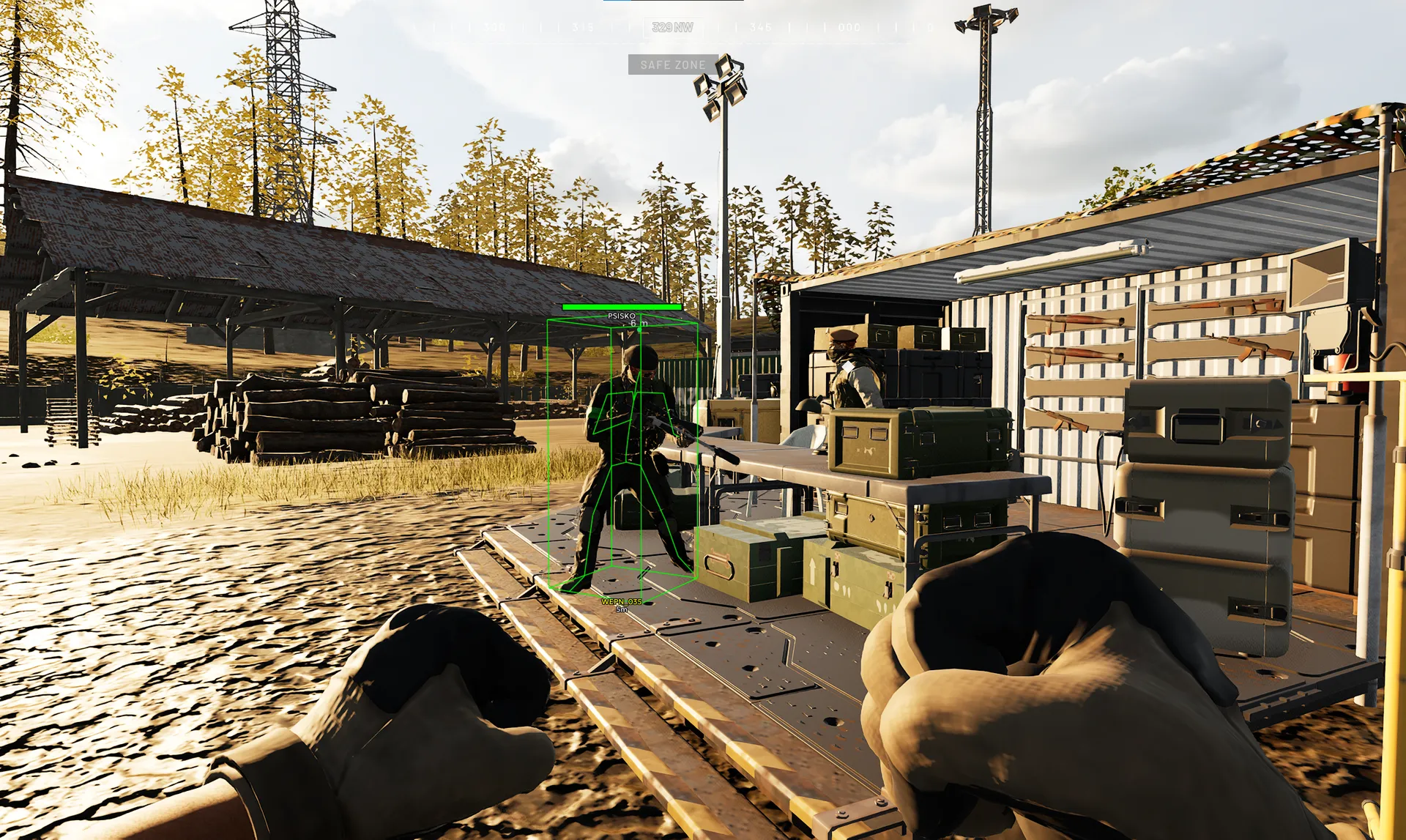
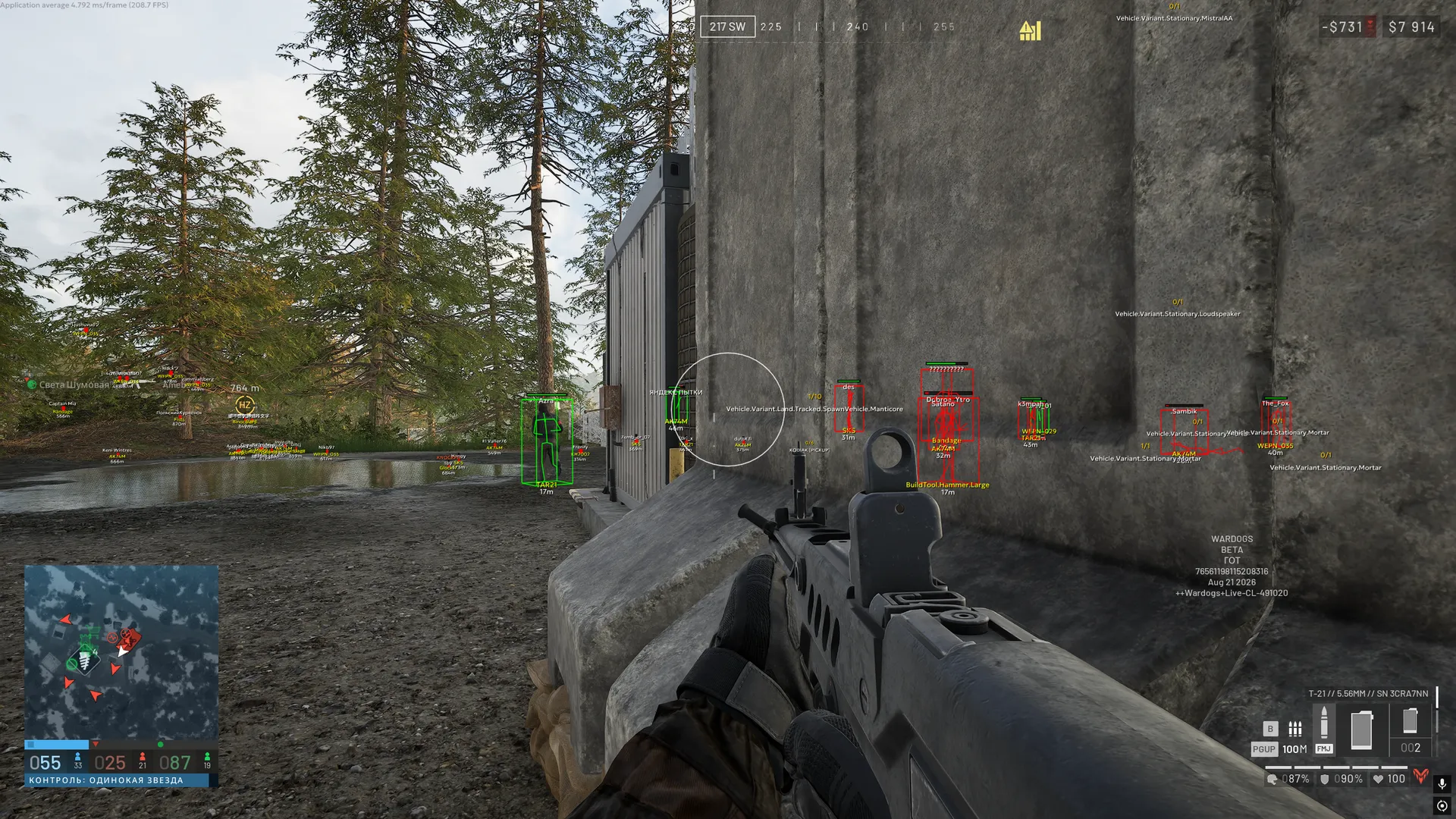
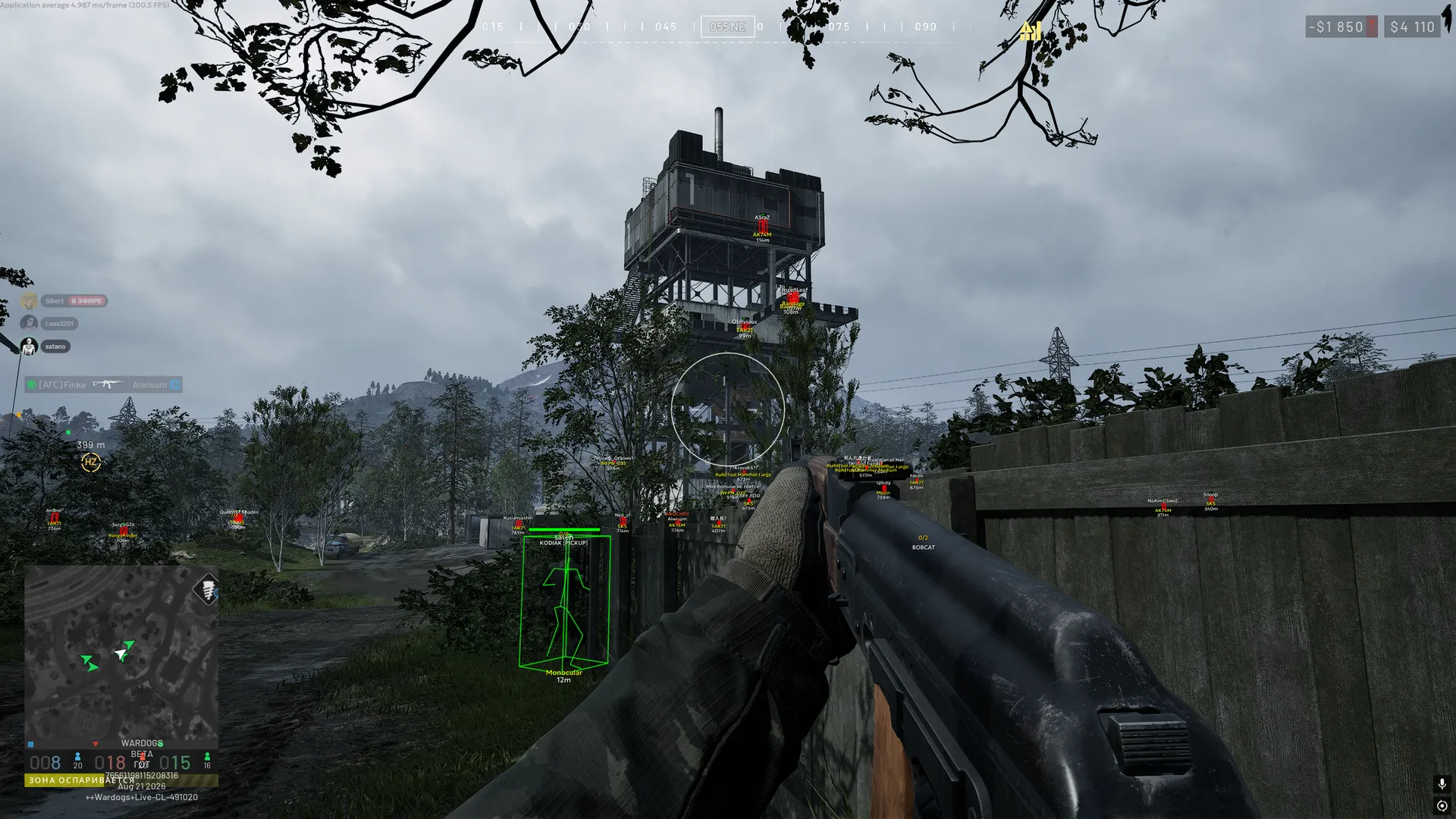
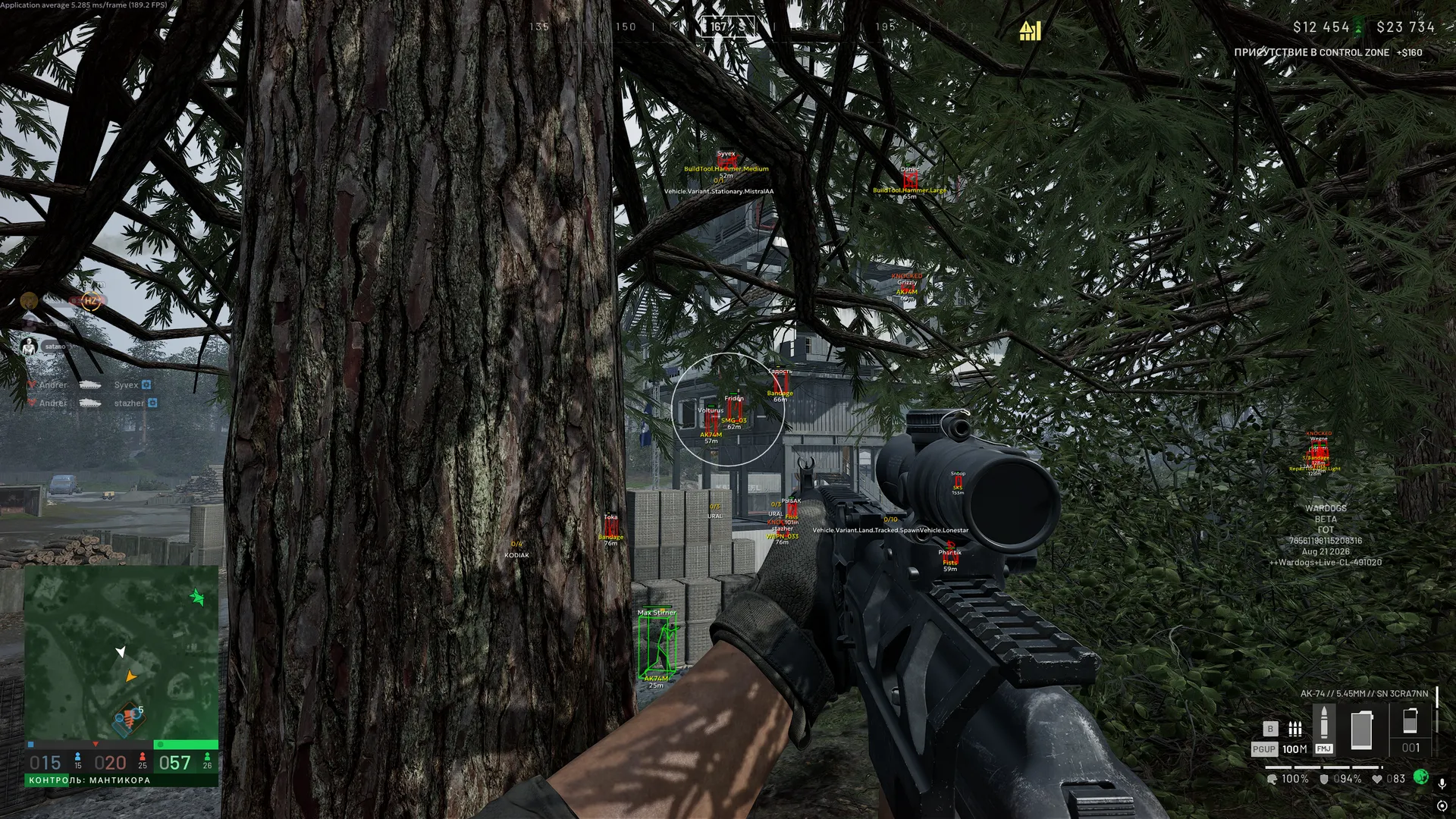
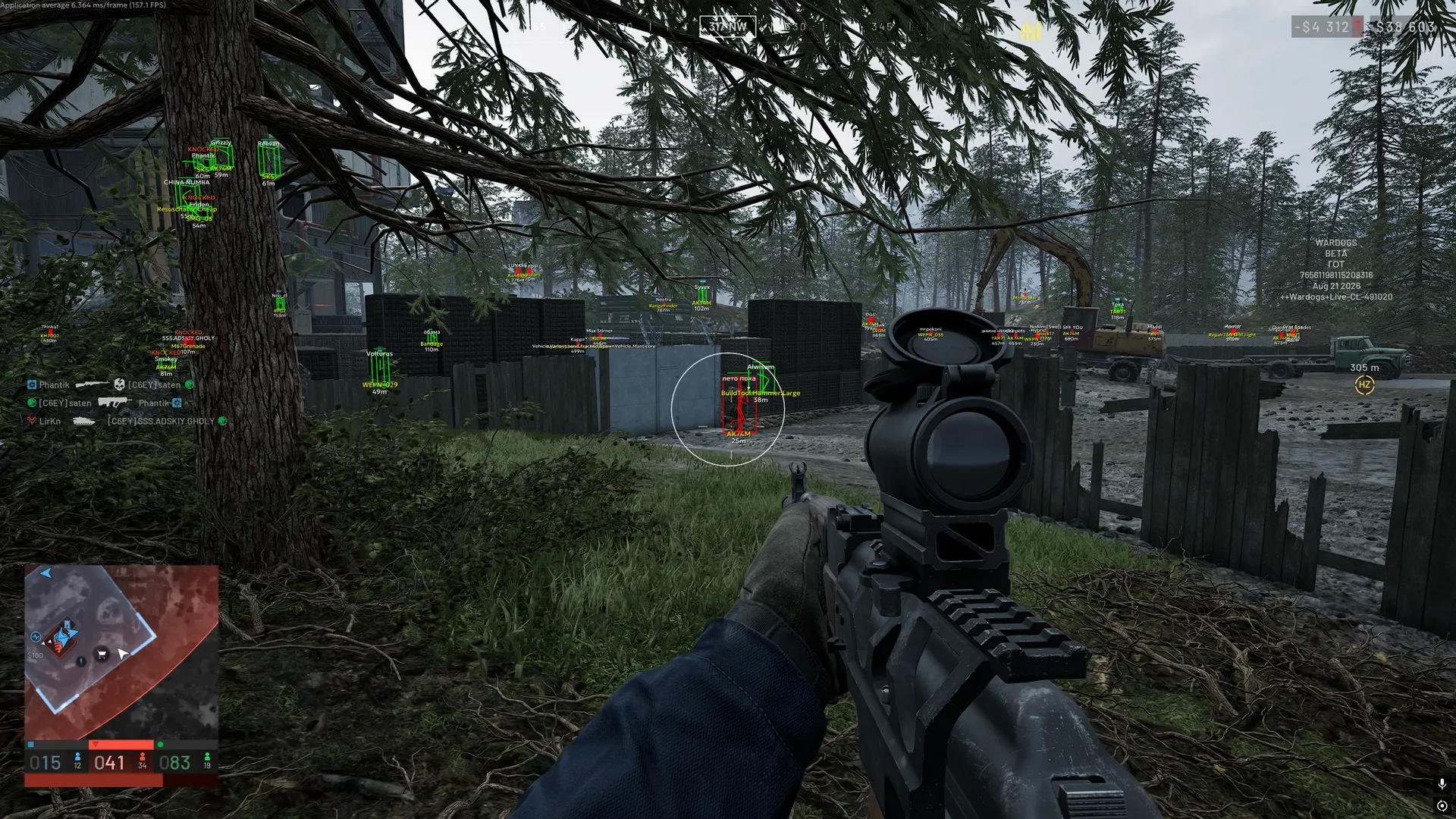
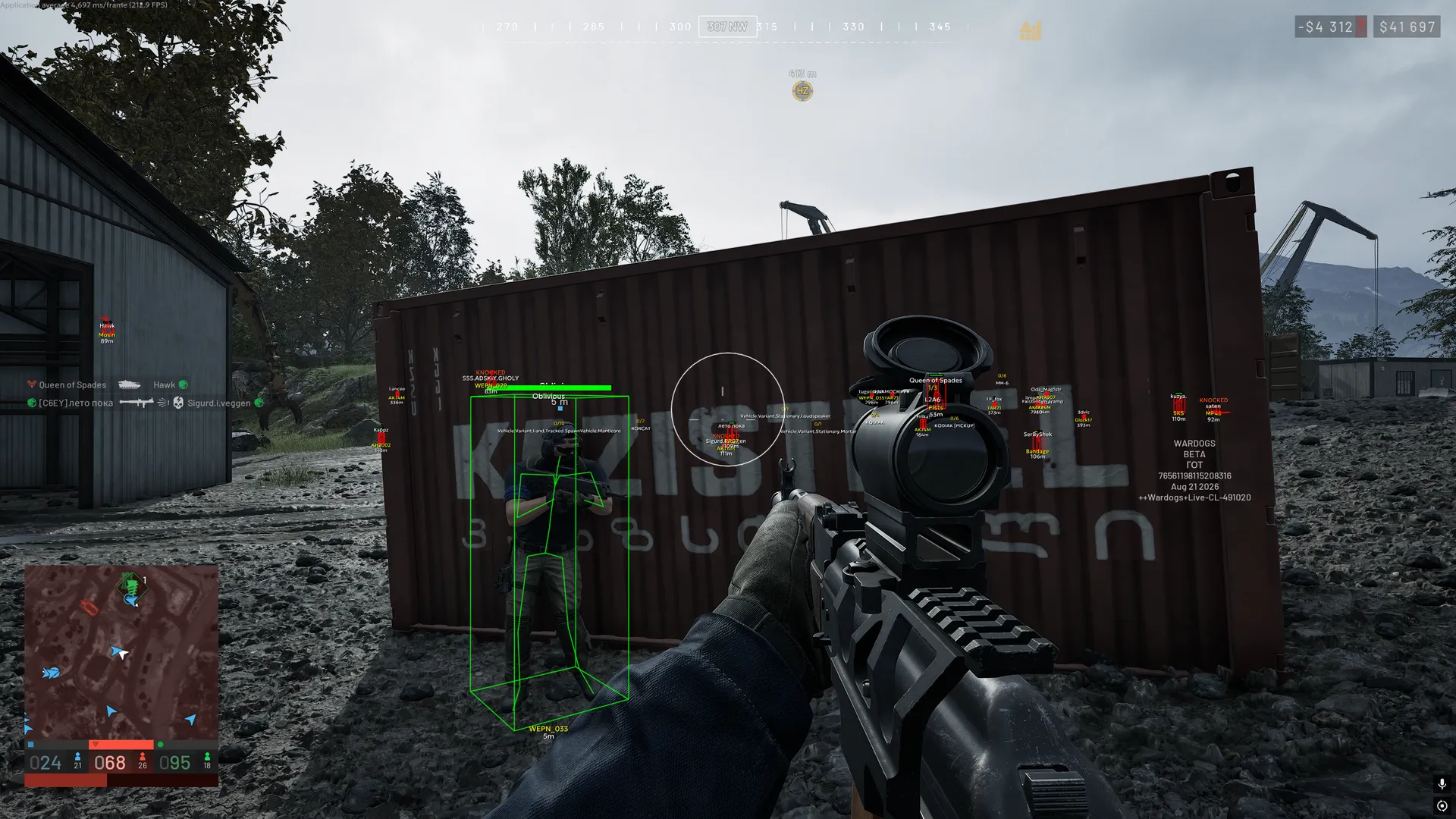
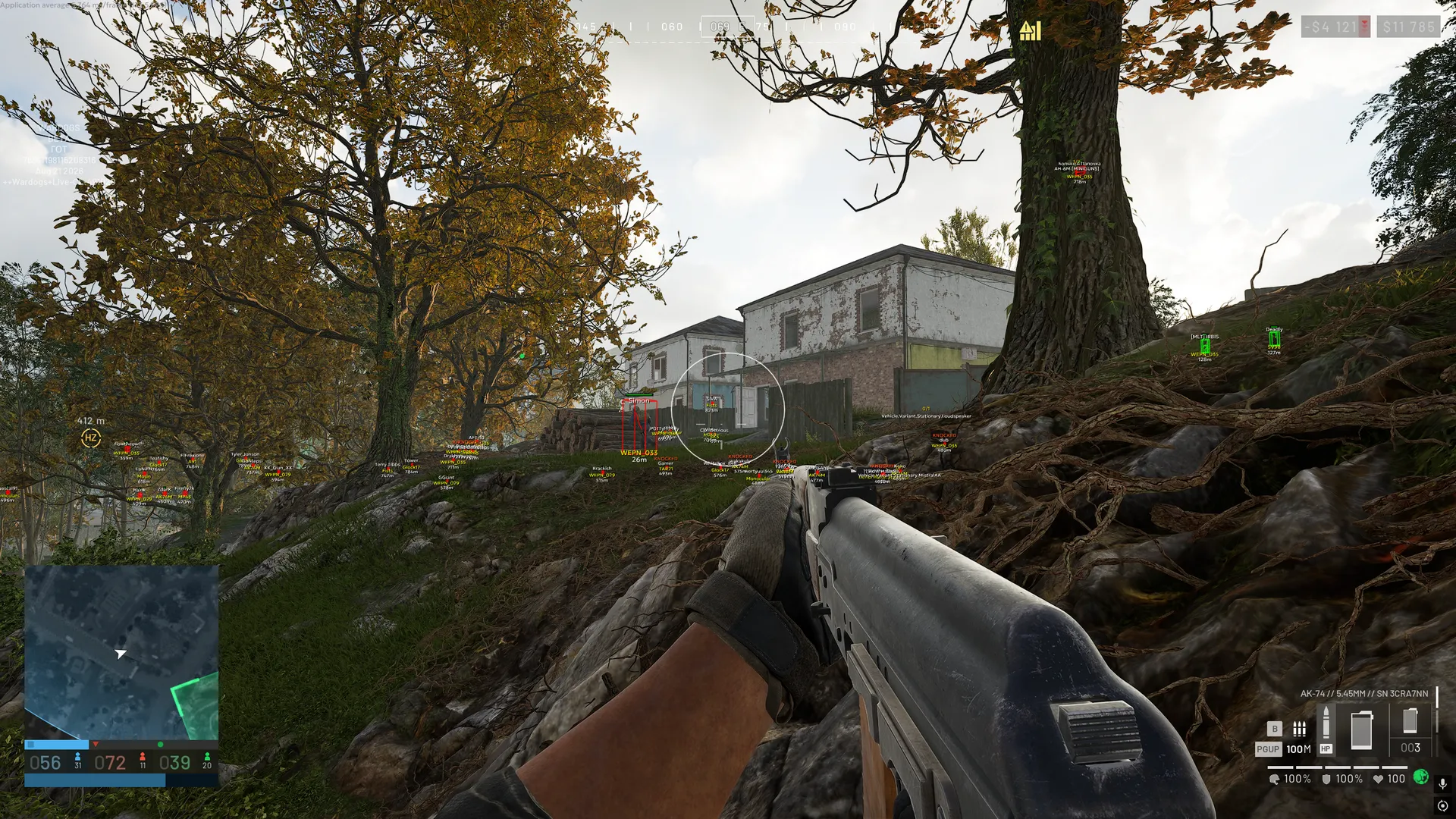
To zoom the image, double-click on it.
System Requirements:
Operating system: Windows 10, Windows 11 (21H2, 22H2, 23H2, 24H2, 25H2) Processor: AMD & INTEL Video card: AMD & NVIDIA Client: Steam
Section under development
Installation Guide
Follow the detailed instructions to activate Ancient Hack For Wardogs cheat
Open GuideSelect Tariff
Secure payment. Instant access.
Main Features of Ancient Hack For Wardogs
Aimbot
-
Enable
Enables automatic aiming -
Aim Key
Assigns the activation key for the aimbot -
Aim Bone
Selects the priority point for aiming (head, neck, body, pelvis, or the nearest bone to the sight) -
Prediction
Accounts for target movement while aiming to improve accuracy -
FOV
Adjusts the target acquisition area for the aimbot -
Smooth
Adjusts the smoothness of aiming at the target -
Max Distance
Sets the maximum aimbot working distance -
Draw FOV
Displays the aimbot's working area on the screen -
Draw Target Point
Shows the area the aim is directed at -
Target Point Size
Adjusts the size of the aim point -
No Recoil
Disables weapon recoil -
Infinity Focus
Keeps infinite weapon focus without blur -
Instant Scope
Provides instant aiming without delay -
Instant Hit
Ensures an instant hit on the target -
Visible Check
Aim works only on visible targets -
No Sway
Disables weapon sway -
Magic Bullet
Allows you to hit a target through obstacles -
Ignore Teammates
Aim will ignore allies -
Ignore Players in Vehicle
Aim will ignore players in vehicles
Magic Bullet
-
Independent Target Selection
Allows the function to independently select a target -
Hit Chance
Adjusts the probability of the magic bullets triggering -
Magic Key
Allows you to assign a separate key for magic bullets -
FOV
A separate setting for the target search area for magic bullet -
Distance
Sets the maximum range for casting magic -
Bones
Selects the body part to hit (head, neck, body, pelvis, or nearest) -
Only Visible
Limits the selection to only visible targets (outside cover) -
Ignore Teammates
Excludes allies from the list of targets -
Ignore Players in Vehicles
Ignores players in vehicles -
Red FOV Rendering
Displays the fov area in red -
Target Point Rendering
Displays the point of the captured target -
Target Point Size
Adjusts the size of the target point
Players ESP (Wallhack)
-
Enemy
Settings tab for enemy wh -
Teammate
Esp settings tab for teammates -
Enable
Enables player display through esp -
Render Knocked
Allows displaying downed players -
Draw Box
Displays boxes around players -
Draw Skeleton
Shows the player's model skeleton through wh -
Draw Name
Displays the player's name -
Draw Health
Shows the player's health level -
Draw Weapon
Displays the weapon in the player's hands -
Draw Distance
Shows the distance to players -
Render Distance
Sets the maximum player render distance -
Out of FOV Arrows
Arrows indicating players outside the field of view (configurable) -
Team Name Rendering
Displays the team name with color-coded markings by faction
Vehicle ESP
-
Enable
Enables vehicle display through esp -
Draw Name
Shows the vehicle name -
Draw Seats
Displays seat information for the vehicle -
Draw Players Inside
Shows players inside the vehicle -
Render Distance
Sets the maximum vehicle render distance -
Land Vehicle Filters
Filters for displaying ground vehicles -
Air Vehicle Filters
Filters for displaying air vehicles -
Artillery
Displays artillery -
Tank
Displays tanks -
Transport
Displays transport vehicles -
Combat
Displays combat vehicles -
Spawn Vehicles
Displays vehicles used for respawning -
Ally Vehicle Rendering
Displays allied vehicles -
Vehicle Name
Shows the name of the vehicle -
Team Name
Shows the team name of the vehicle -
Occupied Seats
Shows the number of occupied seats in the vehicle -
Distance
Shows the distance to the vehicle -
Players Inside Rendering
Displays players inside the vehicle
Loot ESP
-
Dropped Item Names
Shows the names of dropped items -
Loot Bag Rendering
Displays bags with loot -
Loot Distance
Shows the distance to loot -
Custom Name Colors
Customizes the color of item names -
Custom Distance Colors
Customizes the color of the distance to items -
Render Distance
Sets the maximum display distance for loot
Building ESP
-
Talon 9K-SAM
Displays talon 9k-sam air defense systems -
L81 Mortar
Displays l81 mortar mortars -
Stingray
Displays stingray objects -
Vanguard CIWS
Displays vanguard ciws air defense systems -
Loudspeaker
Displays loudspeakers -
FOB
Displays forward operating bases -
Ally Building Rendering
Displays ally buildings -
Building Name
Shows the name of the building -
Team Name
Shows the name of the building’s team -
Occupied Seats
Shows the number of occupied seats -
Distance
Shows the distance to the building -
Faction-Based Team Colors
Colors the team name according to its faction -
Building Type Filters
Filters for displaying specific types of buildings
Radar ESP
-
Player Rendering
Displays players on the radar -
Vehicle Rendering
Displays vehicles on the radar -
Building Rendering
Displays buildings on the radar -
Loot Rendering
Displays loot on the radar -
Ally Vehicle Filter
Allows you to hide or display ally vehicles -
Ally Building Filter
Allows you to hide or display ally buildings -
Knocked Player Rendering
Displays knocked players on the radar -
Separate Colors
Allows you to set a separate color for each type of object -
Per-Object Name Settings
Separate settings for displaying names for each type of object -
Per-Object Distance Settings
Separate settings for displaying distance for each type of object -
Names Above Markers
Displays the names of objects above the markers. -
Distances Below Markers
Displays the distance to the objects under the markers. -
View-Based Radar Rotation
Rotates the radar in accordance with the direction of the player's gaze -
Radar Range
Adjusts the radius of the display of objects on the radar -
Marker Size
Adjusts the size of markers on the radar -
Mouse Dragging
Allows you to move the radar with the mouse -
Radar Resizing
Allows you to change the size of the radar
Other Ancient WARDOGS Features
-
Menu Localization
The ability to change the language of the mod menu interface (english, russian, chinese) -
Overlay FPS Limit
Allows you to limit the frame rate of the overlay
Safety and Reliability of Ancient Hack For Wardogs
Private cheat Ancient Hack For Wardogs is developed with modern anti-cheat systems in mind and is regularly updated to maintain "Undetected" status. All purchase data is stored encrypted and is available only to you and our support service.
2-Minute Purchase Process:
- Choose payment method (FunPay or direct)
- Pay for selected tariff
- Receive access email within 2 minutes
- Follow instructions for activation
Reviews from our FunPay customers for 2026
There are no reviews for this product yet.
Other WARDOGS Products
GHOST WARDOGS Hack
- Aimbot
- Player ESP
- Loot ESP
- Vehicle ESP
- Radar
Pussycat WARDOGS Software
- Aimbot
- Players ESP
- World ESP
- Other Pussycat WARDOGS Features
Arcane WARDOGS Cheat
- Aimbot
- ESP
- Other Arcane WARDOGS Features
Dullwave WARDOGS
- Aimbot (Aim)
- Players ESP
- Building ESP
- Vehicle ESP
- Loot ESP
- Radar Hack
Phoenix WARDOGS
- Aimbot
- Weapon
- Artillery
- Players ESP
- Loot & World ESP
- Vehicles
- Chams (Wallhack)
- Glow
- Radar Hack
- View & Camera
- Weather Editor
- Other Phoenix WARDOGS Features