Phoenix Deadlock Software
Status: Undetected
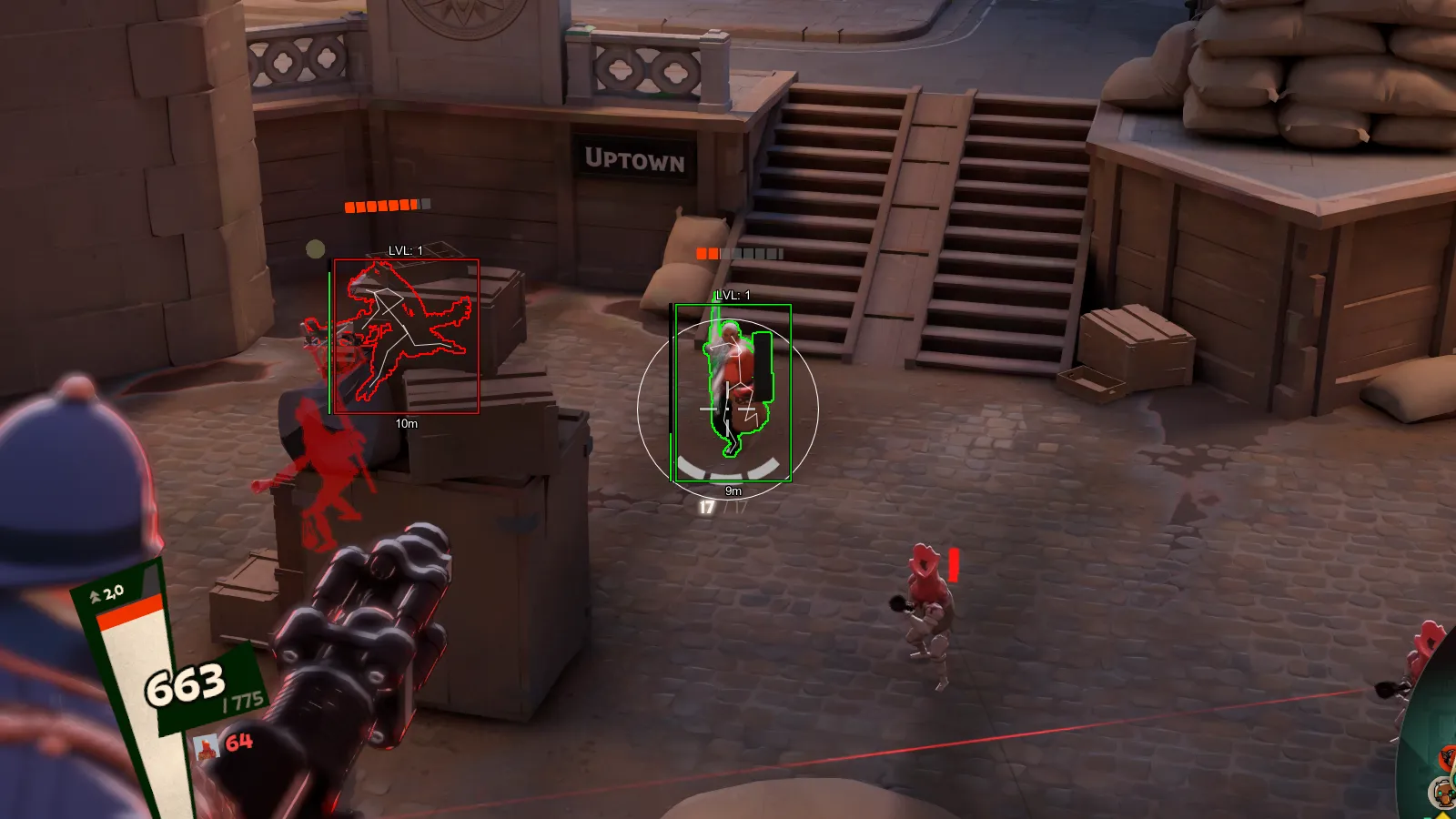
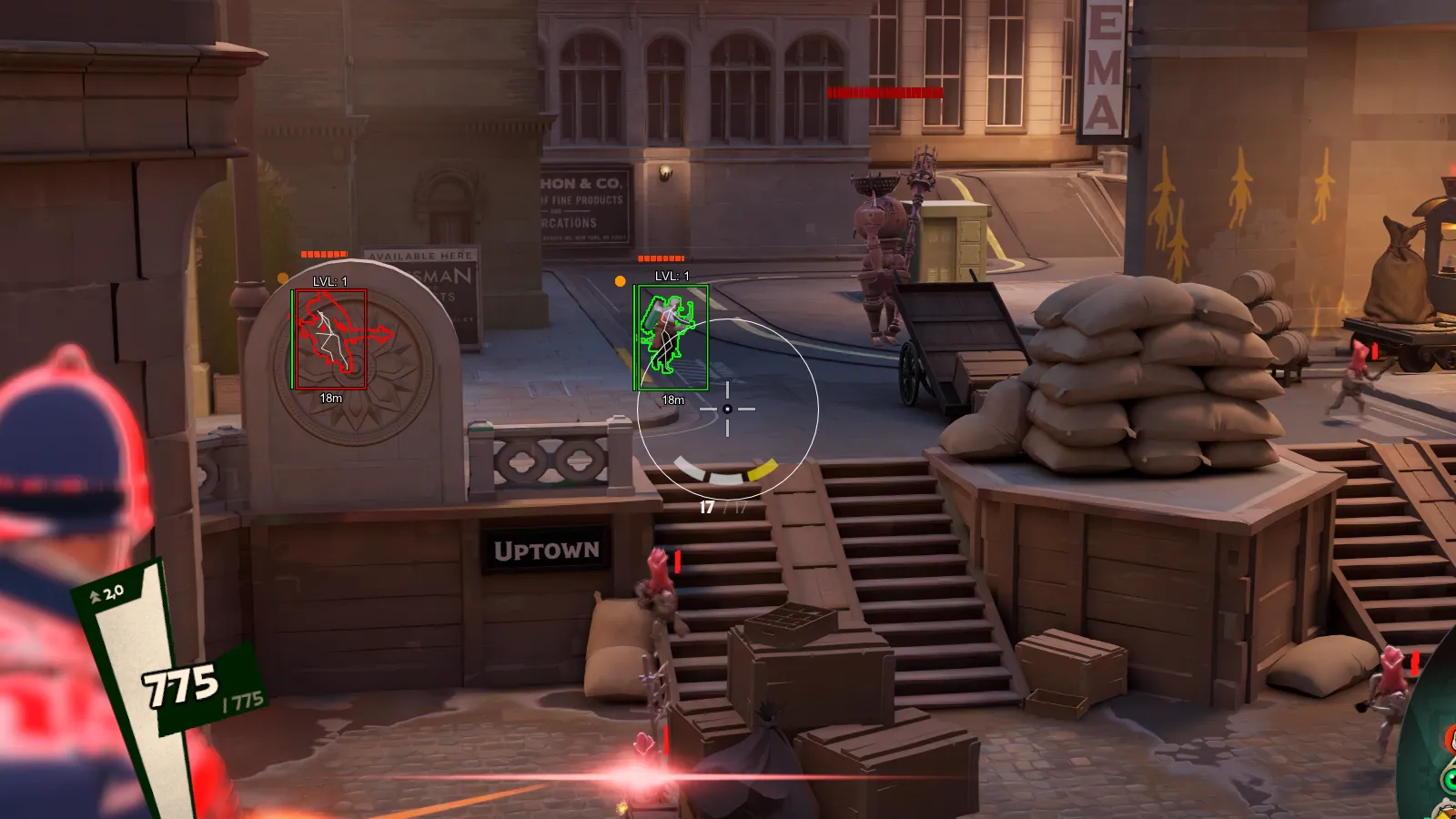
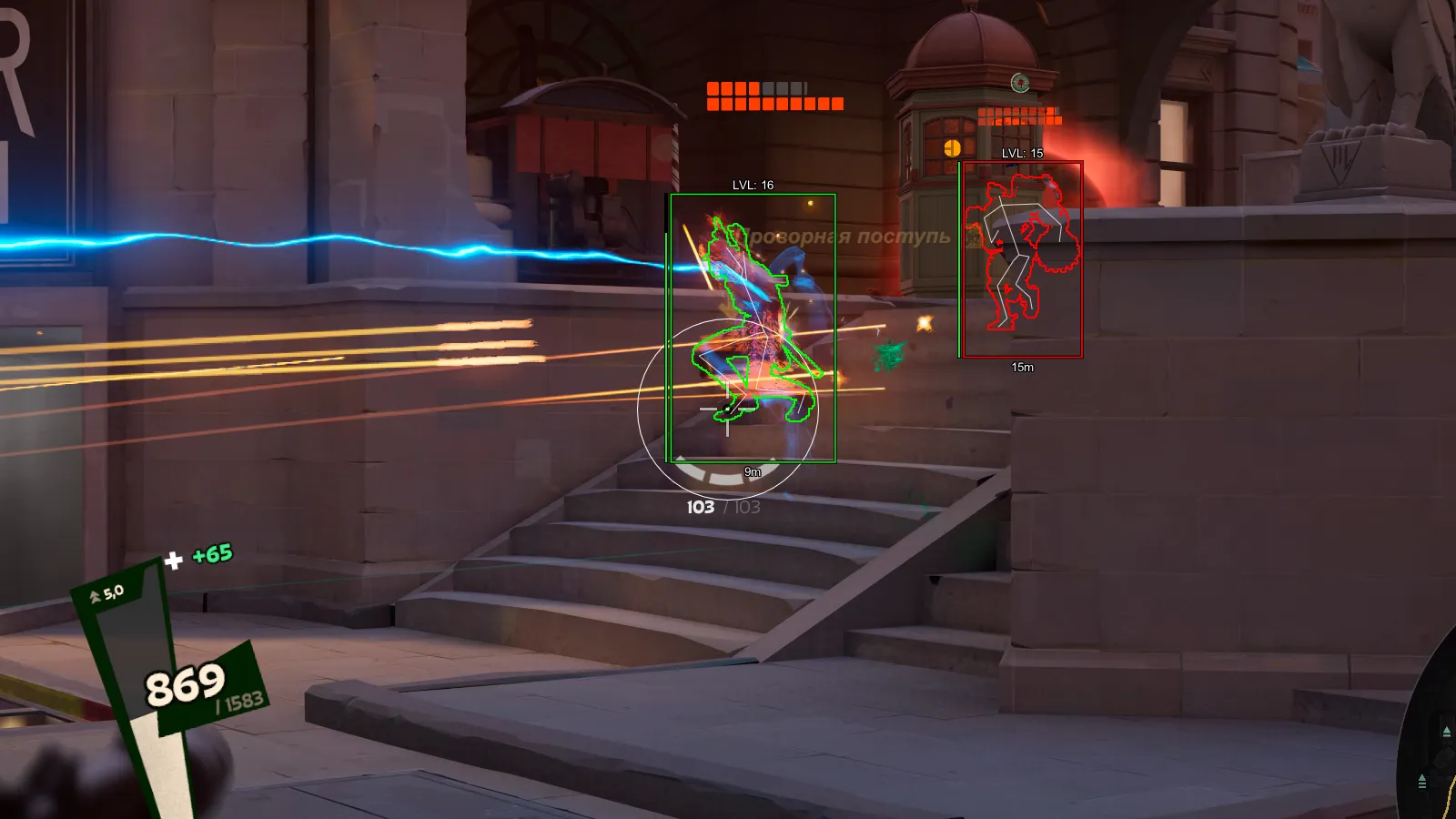
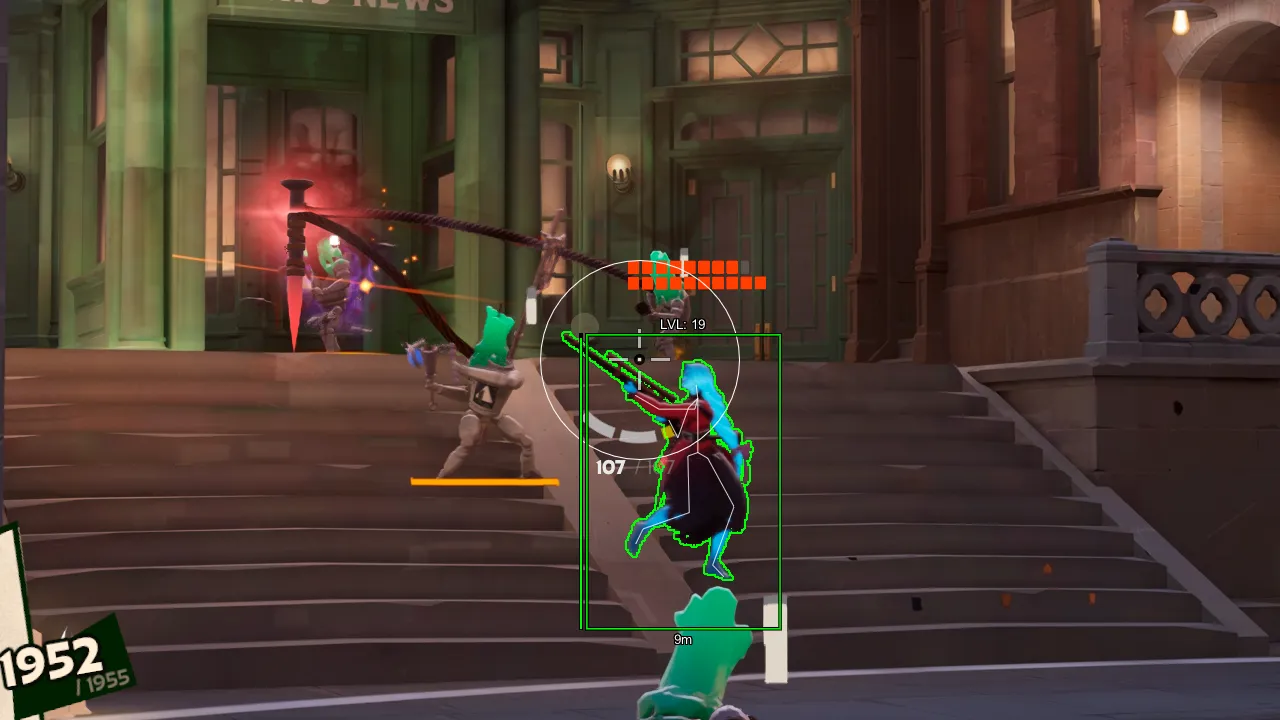
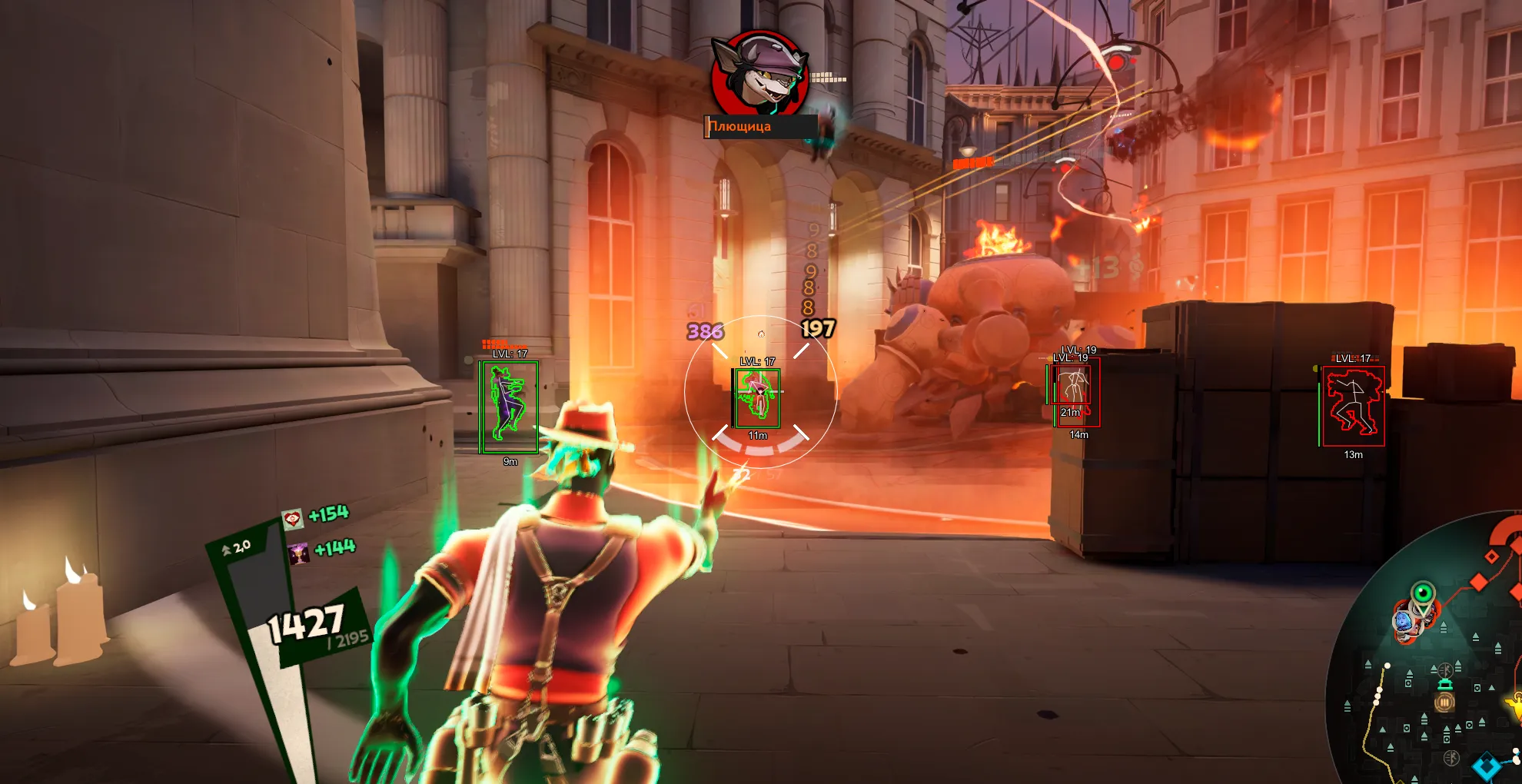
To zoom the image, double-click on it.
System Requirements:
Operating system: Windows 10, Windows 11 (21H2-25H2) Processor: Intel & AMD Video card: NVIDIA & AMD Client: Steam
Section under development
Installation Guide
Follow the detailed instructions to activate Phoenix Deadlock Software cheat
Open GuideSelect Tariff
Secure payment. Instant access.
Main Features of Phoenix Deadlock Software
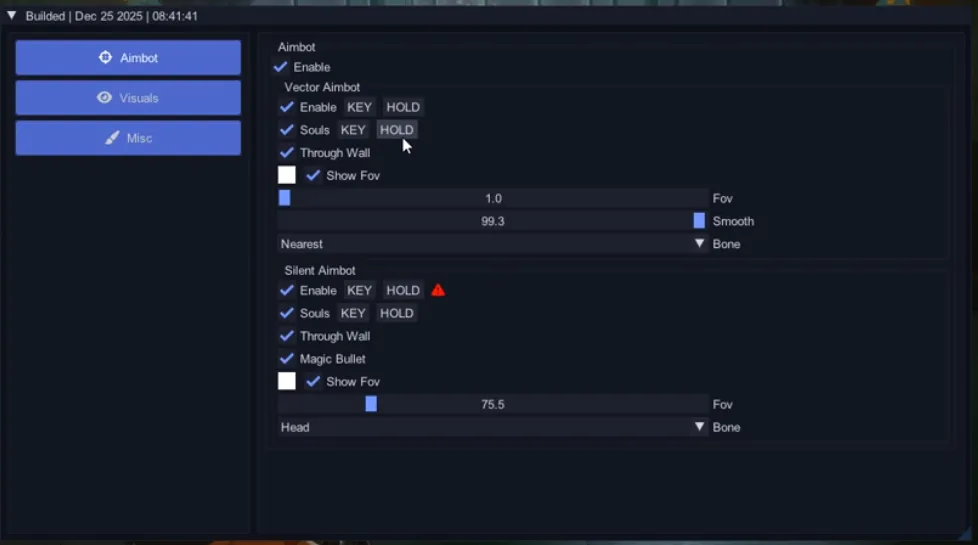
Vector Aimbot
-
Enable
Enables the vector aimbot -
Aim Mode (Hold / Toggle / Always)
Choose how the aimbot activates (hold key, toggle, or always on) -
Souls
Enable aiming at souls -
Through Wall
Allows the aimbot to target enemies through obstacles -
Show FOV
Displays the aimbot field of view on screen -
FOV
The area within which the aimbot searches for targets -
Smooth
Smoothing level for aim movement -
Bone
Select the target point (head, closest bone to crosshair)
Silent Aimbot
-
Enable
Enables silent aim (hidden aiming without visible crosshair movement) -
Aim Mode (Key Hold / Toggle / Always)
Choose the activation mode (hold, toggle, or always) -
Souls
Enable aiming at souls -
Through Wall
Allows silent aim to work through walls -
Magic Bullet
Hits the target regardless of exact crosshair position -
Show FOV
Shows the silent aimbot working area -
FOV
Capture radius for silent aimbot -
Bone
Select enemy hitbox for silent aim (head, closest point)
Visuals (ESP)
-
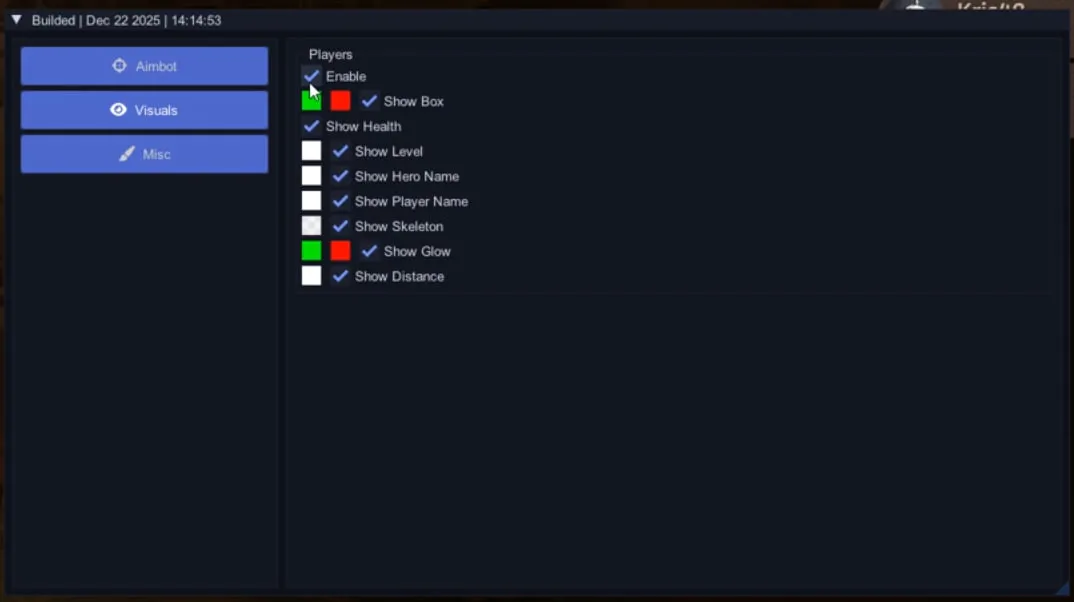
Players ESP
Esp to display players through walls -
Enable
Enables player esp -
Show Box
Displays players as boxes -
Show Health
Shows player health -
Show Level
Shows character level -
Show Hero Name
Displays hero or class name -
Show Player Name
Displays player nicknames -
Show Skeleton
Shows player model skeleton -
Show Glow
Highlights players with glow -
Show Distance
Displays distance to players
Other Phoenix Deadlock Features
-
Custom Colors
Customize colors for boxes, text, skeletons, and other esp elements with manual shade selection -
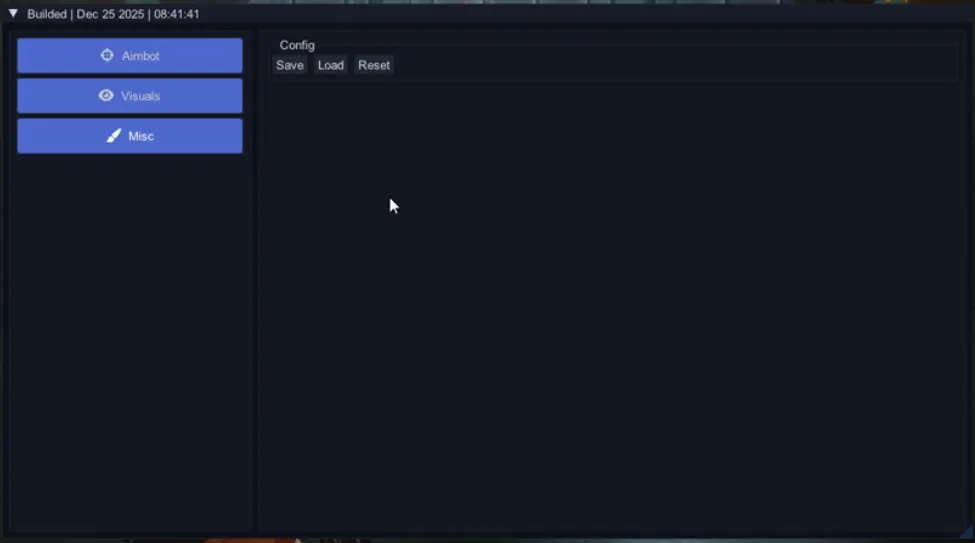
Save
Save current cheat settings -
Load
Load saved config -
Reset
Reset settings to default values
Safety and Reliability of Phoenix Deadlock Software
Private cheat Phoenix Deadlock Software is developed with modern anti-cheat systems in mind and is regularly updated to maintain "Undetected" status. All purchase data is stored encrypted and is available only to you and our support service.
2-Minute Purchase Process:
- Choose payment method (FunPay or direct)
- Pay for selected tariff
- Receive access email within 2 minutes
- Follow instructions for activation
Reviews from our FunPay customers for 2026
There are no reviews for this product yet.