Midnight Counter-Strike 2 (CS2) Cheat
Status: Updating
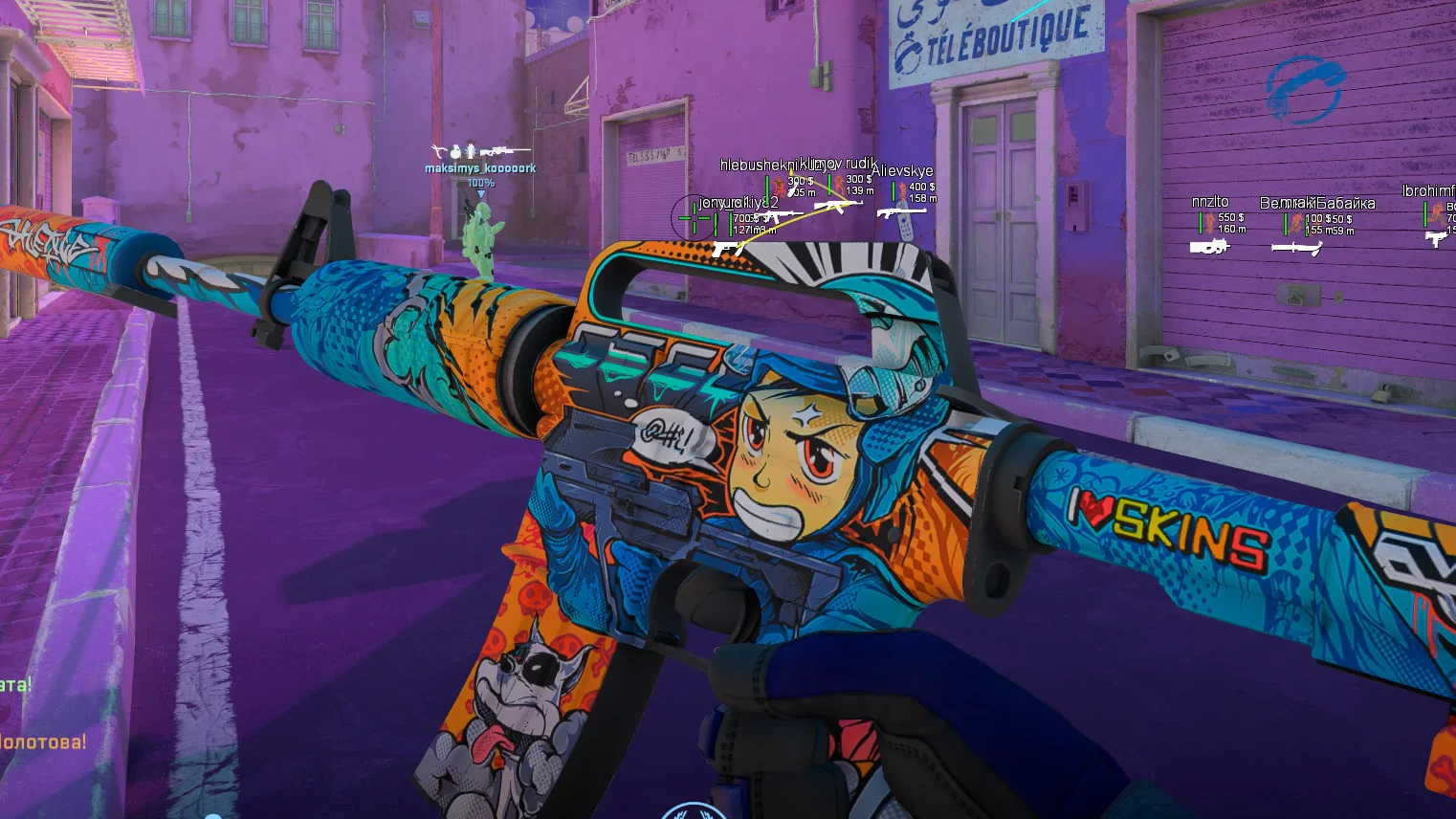
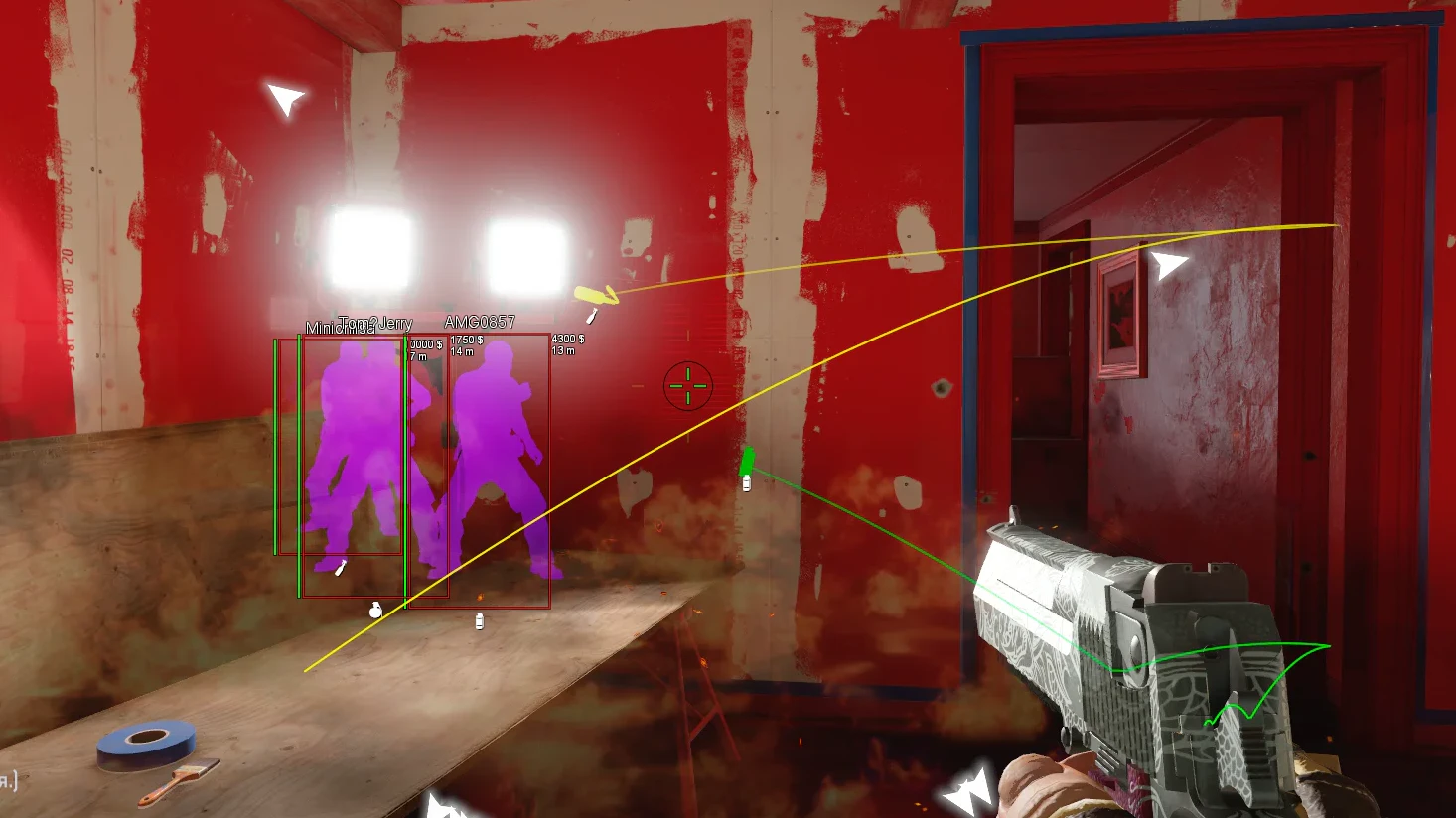
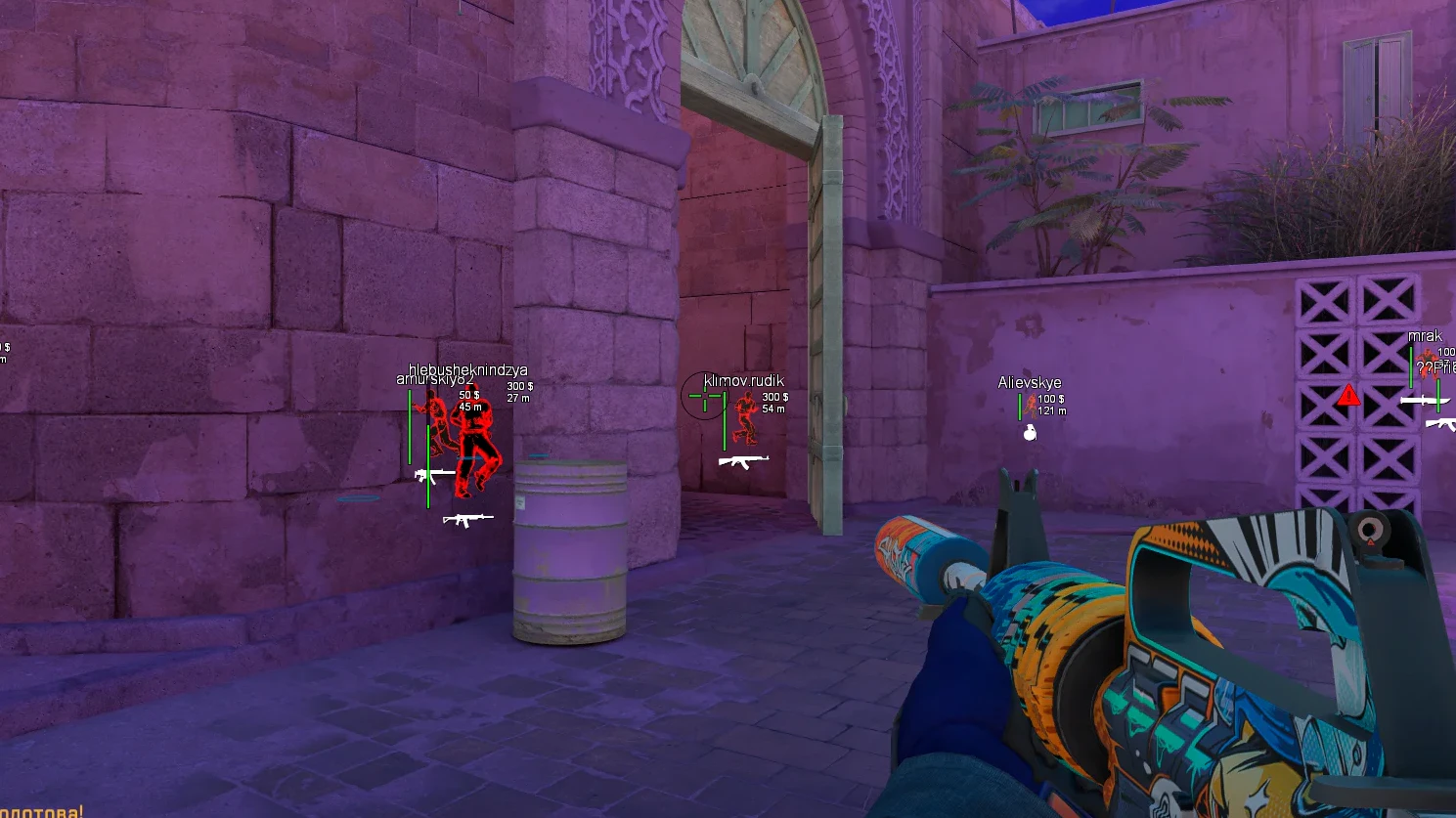
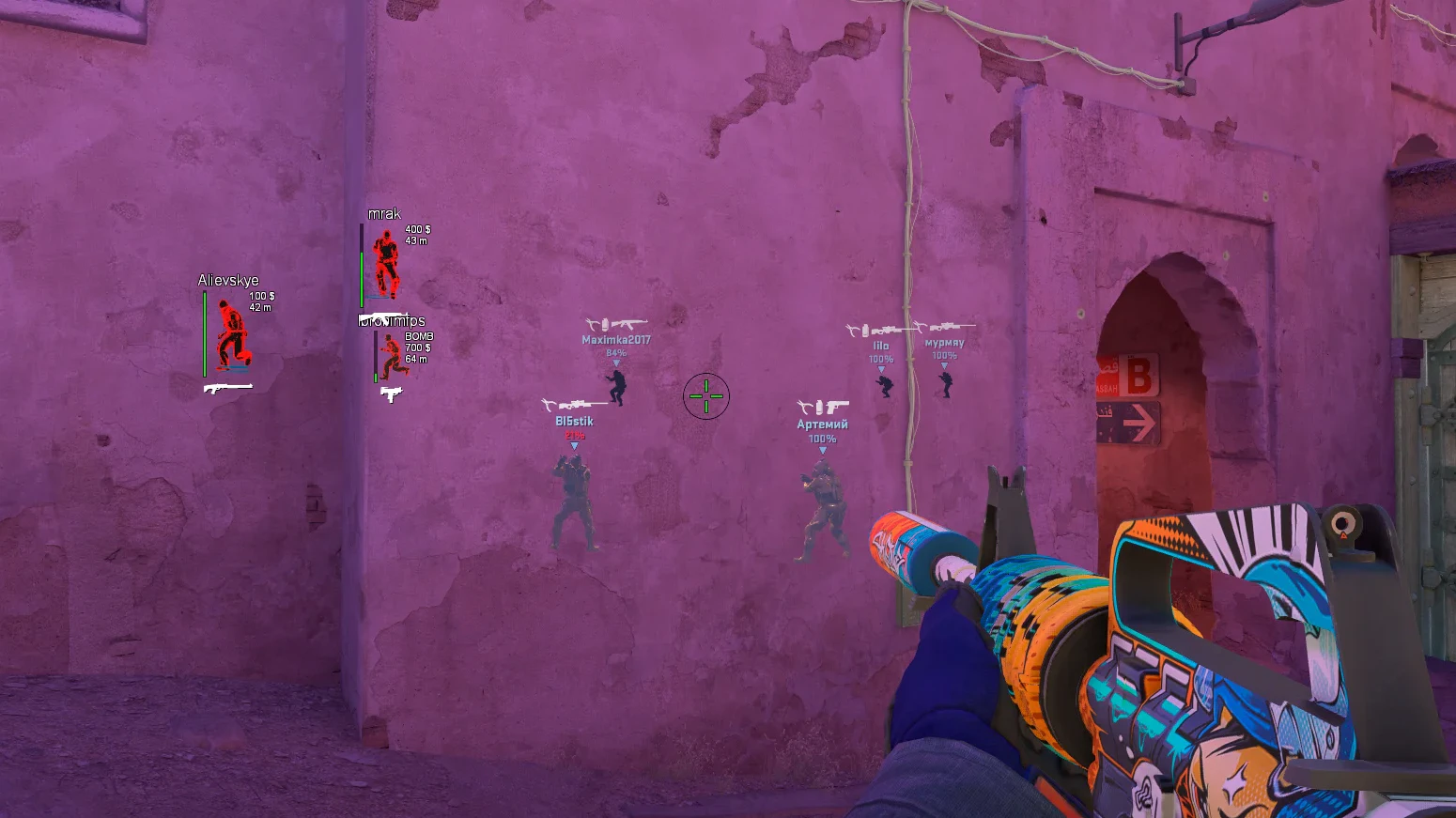
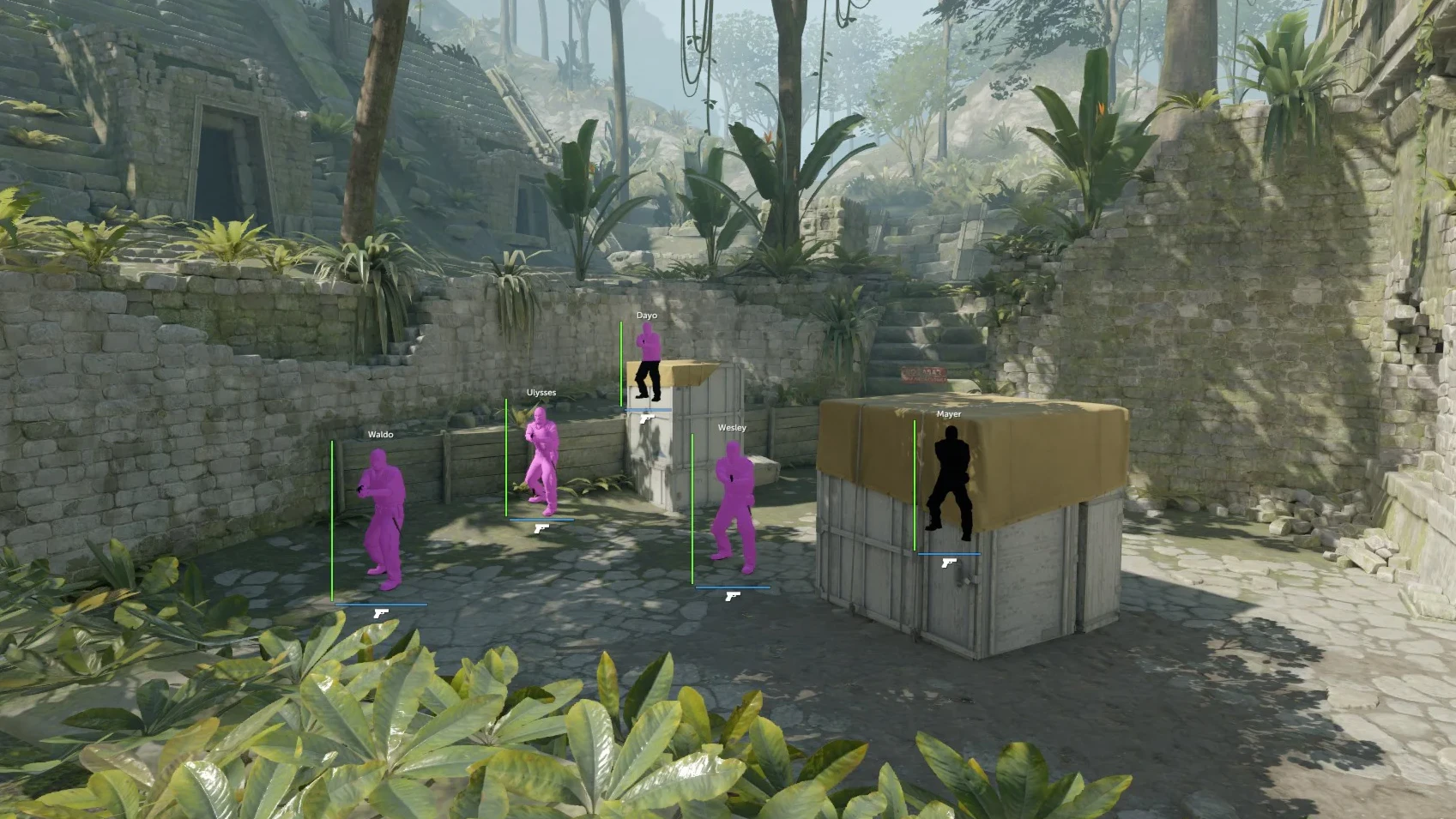
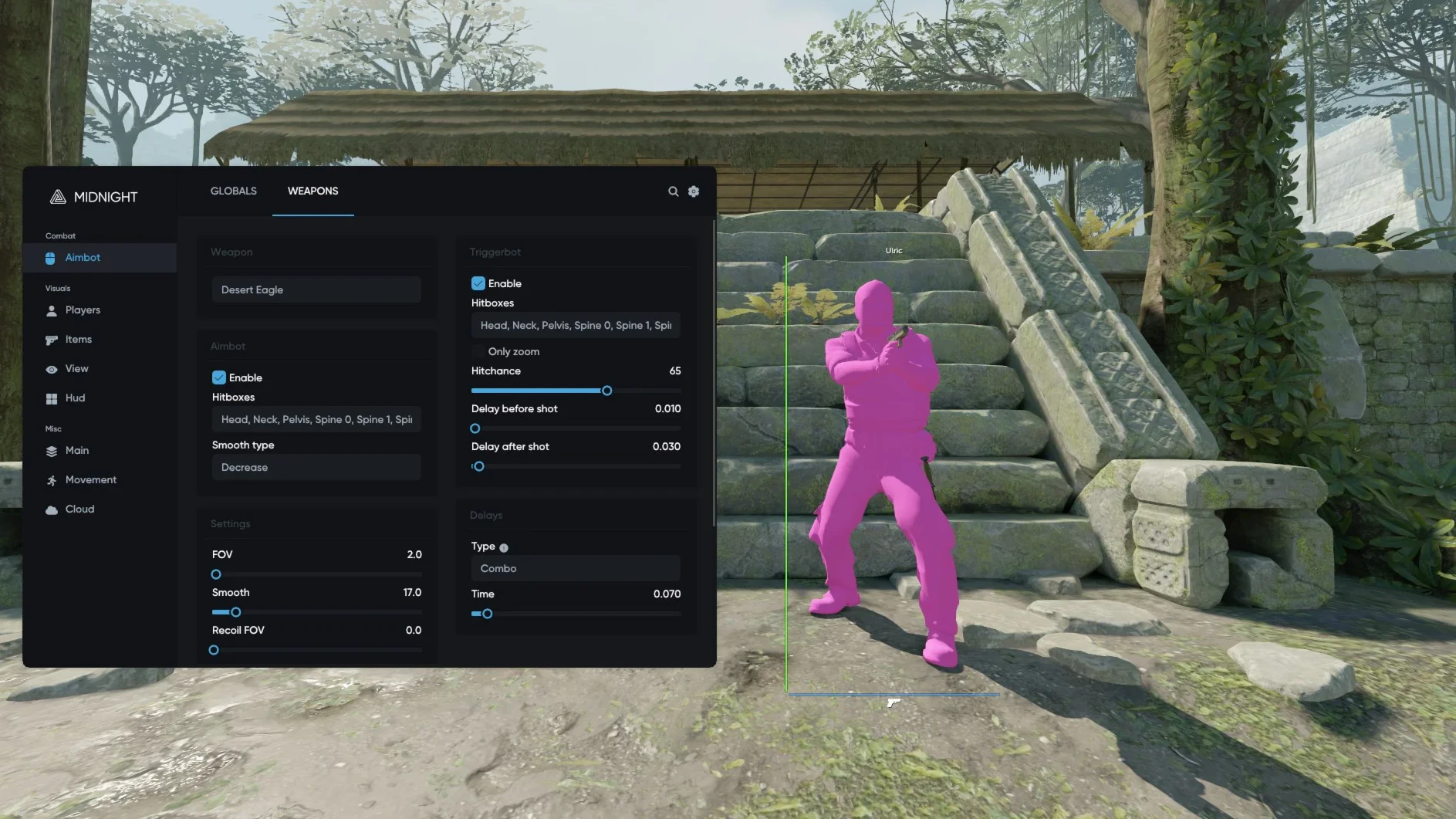
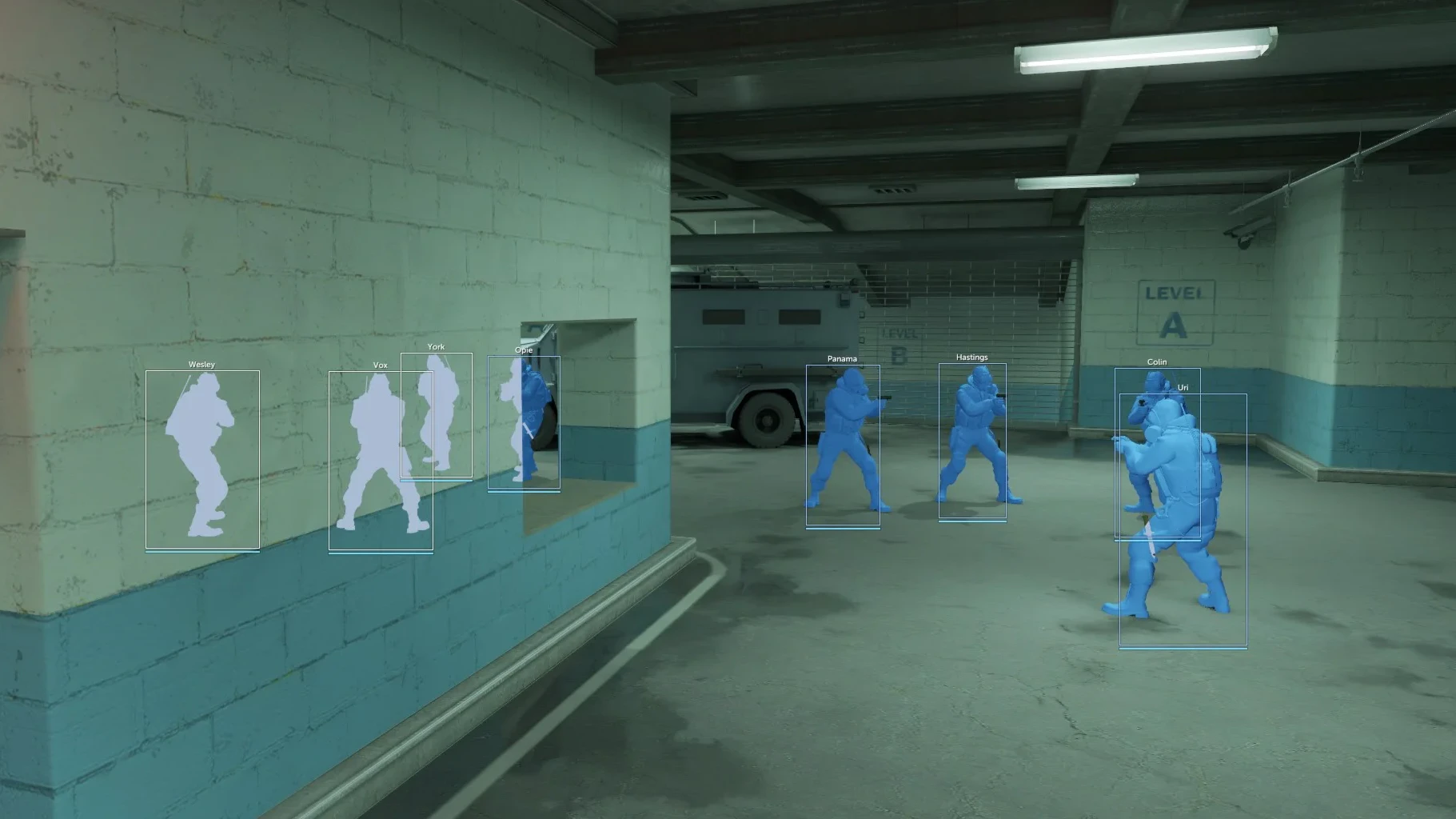
To zoom the image, double-click on it.
System Requirements:
Operating system: Windows 10, Windows 11 (21H2, 22H2, 23H2, 24H2, 25H2) Processor: AMD & Intel Video card: AMD & NVIDIA Client: Steam
Section under development
Installation Guide
Follow the detailed instructions to activate Midnight Counter-Strike 2 (CS2) Cheat cheat
Open GuideMain Features of Midnight Counter-Strike 2 (CS2) Cheat
Aim Settings (Aimbot)
-
Enabled
Activate aimbot -
Aim Key
Aimbot activation key -
Aim Mode
Aimbot operating mode (always, hold key, toggle on/off) -
Auto Fire
Automatic shooting at players -
Hitchance
Calculates hit prediction based on movement trajectory -
Seeded
Calculates hits based on your weapon's spread calculation -
Auto Stop
Stops the character while shooting -
Auto Scope
Opens the scope when aim is active -
Anti-Flash
Disables aim if you are blinded -
Anti-Smoke
Disables aim if you or the opponent are in smoke -
Delay
Delay in ms between target switches -
Multipoint
Adds multiple points to the hitbox allowing the aim to shoot even if part of the target is visible -
Multipoint Scale
Value of how far points are set from the hitbox -
Mouse Lock X/Y
Level of mouse movement interception by the aimbot on x and y axes
Weapon Aim Bot Settings
-
Weapon
Ability to configure aimbot behavior for each weapon -
Hitboxes
Choose which body parts the aimbot will target (head, chest, stomach, arms, legs) -
Ignore Jump
Aimbot disables itself while jumping -
Humanize
Simulates human-like aiming behavior (use on official servers) -
FOV Type
Type of aimbot area (static, dynamic) -
Smooth Type
Type of smoothness for aimbot movements (static, dynamic, smooth start/end) -
FOV
Angle (radius) of target acquisition for the aim -
pSilent
Silently hits a target within the action radius without moving the crosshair (perfect silent aimbot) -
Silent FOV
Range of action for psilent aimbot -
Smooth
Level of smoothness in aiming at an opponent -
Hitchance AutoFire
Chance of automatic fire -
Recoil FOV
Level of aim area during spray control -
Recoil Smooth
Level of smoothness during aim in spray control -
Aimbot Start
Starts aim after a specified number of shots -
Aimbot Stop
Stops aim after a specified number of bullets fired (pistols, sniper rifles, shotguns)
Wallhack (Enemies, Teammates)
-
Enabled
Activate wh for enemies/teammates -
ESP Preview
Preview window for wh settings for players -
Box
Outlines the player model in a box (rectangle) -
Name
Displays player nicknames -
Weapon
Shows the current gun in players' hands (text/icon) -
Distance
Distance to players in meters -
Ammo Bar
Amount of ammunition in the gun as a bar -
Health Bar
Amount of hp of players -
Defuse Kit
Shows if the player has defuse kits -
Bomb Planting
Shows the player planting the bomb -
Money
Reveals the amount of money a player has -
Flashed
Shows players who are flashed -
Bomb
Shows if the player has the bomb -
Visible Check
Visible players and those behind obstacles are colored differently -
Only Visible
Wh only on players visible in the line of sight -
Scoped
Displays a marker if the player is scoped (awp, aug, etc.) -
Defuse
Shows if the player is defusing the bomb -
Out of Arrows
Shows directions of enemies offscreen as arrows (position can be configured) -
Sounds
Esp display of sounds made by players (configurable) -
Chams
Wh in the form of chams renders player models in different materials (configurable) -
Glow
Pleasant glow of player models -
Colors
Configuration of colors for players' display
Recoil Settings (Smart RCS)
-
Enable
Activate recoil control settings while shooting -
Return Crosshair
Returns the crosshair to its original position -
Start Bullet
Number of shots after which rcs activates -
X/Y Axis
Recoil control settings for vertical and horizontal axis -
Smooth
Smoothness for recoil control movements
Triggerbot (Auto-Shoot)
-
Enable
Activate auto shooting when a target is in the crosshair -
Trigger Key
Key to activate triggerbot -
Trigger Mode
Triggerbot operating mode (always, toggle, hold) -
Flashed
Disables trigger when blinded by a flashbang -
Smoked
Disables trigger when you or the target is in smoke -
Only Scope
Trigger will only work when scoped -
Auto Wall
Shoot through walls -
Min Damage
Minimum damage for the trigger activation (configurable) -
Delay Start/End
Delay before shooting and stopping
Items ESP (WH for Items)
-
Items ESP
Wh for weapons, grenades, bomb, and other items -
Enable
Activate item wh -
Box
Outlines items in boxes -
Name
Displays item names (text/icon) -
Ammo Bar
Amount of ammo as a bar -
Distance
Distance to the item in meters -
Chams
Renders item models with chams (many settings available) -
Glow
Pleasant glow for items (flexible configuration) -
Colors
Ability to set custom display colors
Player & World Changer
-
Viewmodel
Configuration for hand and weapon positioning -
FOV Weapon
Weapon positioning settings -
Hands
Character hand positioning settings -
Chams
Painting of hand and/or weapon models -
Chams Type
Type of chams (7 types) -
Night Mode
Enable night mode on the map -
Sky Color
Paints the sky with the chosen color -
Walls Color
Allows changing the wall and environment color -
Explosive Color
Color from explosions -
Molotov Color
Sets color for molotov cocktails -
Impact Color
Sets the color for sparks and hits
Inventory Changer
-
Skinchanger
Allows you to add any skin from the game to your inventory (from charms and stickers to awp dragon lore) -
Search
Search for skin by name through the search bar -
Wear
Skin quality -
Name
Custom tag for weapons -
Pattern
Unique pattern of the skin -
StatTrak
Add stattrak and the number of kills to the counter -
Souvenir
Mark an item as a souvenir -
Count
Number of items to add to your inventory -
Stickers
Ability to add any stickers to a weapon -
Pistols
-
Heavy Weapons
-
SMG
-
Automatic Rifles
-
Equipment
-
Knife
-
Gloves
-
Agents
-
Music Kits
-
Souvenirs
-
Stickers
-
Patches
-
Charms
-
Graffiti
Other Midnight CS2 Features
-
Trusted Mode
When activated, disables risk features (silent aim, auto fire, seeded triggerbot, etc.) -
Auto-Accept
Automatically accepts matchmaking, premier, or partner invites -
Streaming Mode
Partial protection from recording; certain elements are not visible on screenshots, video recording, or streams -
Third Person
Enable third-person view -
Hit Sound
Sound upon hitting the enemy -
Kill Sound
Sound upon killing an enemy -
Bunnyhop
Automatic bunny hopping -
Strafe Helper
Automatically strafes -
Edge Jump
Allows jumping from the edge of textures -
Grenade Helper
Utility to help throw grenades on various maps (many settings) -
Configs
Configuration system for quickly loading and switching cheat parameters -
Menu Key
Key to open the midnight cs2 menu -
Visuals Key
Key to toggle visual elements on/off -
Movement Key
Key to disable movement scripts and aimbot -
Unload
Button to disable the cheat in the game
Safety and Reliability of Midnight Counter-Strike 2 (CS2) Cheat
Private cheat Midnight Counter-Strike 2 (CS2) Cheat is developed with modern anti-cheat systems in mind and is regularly updated to maintain "Undetected" status. All purchase data is stored encrypted and is available only to you and our support service.
2-Minute Purchase Process:
- Choose payment method (FunPay or direct)
- Pay for selected tariff
- Receive access email within 2 minutes
- Follow instructions for activation
Reviews from our FunPay customers for 2026
"ww"
"+++"
"гуд"
"чотинька"
"+rep"
"ВСЕ ГУД"
"лега"
"+"
"5"
"+"
"+++"
"топ"
"5"
"Топ"
"Все круто"
"Спасибо"
"good"
"+"
"найс"
"гуд"
"vse kruto"
"gg"
"+rep"
"Всё работает, очень удобно"
"Все четко"
"top"
"Круто"
"ю"
"Все тоооп"
"круто и быстро"
"+реп"
"super"
"все четенько"
"шикардос"
"Топ"
Other Counter-Strike 2 (CS 2) Products
CS2 SoftHub
- Aimbot
- Player WallHack
- World ESP
- Radar
Predator Cheat for Counter-Strike 2
- Vector and Silent Aimbot
- Customizible Aimbot Settings
- Player WallHack
- A lot of Chams and Glow settings
- World Changer
- Loot and World ESP
- Skin and Inventory Changer
- Radar
- Spectator List
- BunnyHop
- Chat Spam