Arcane Conan Exiles Hack
Status: Undetected
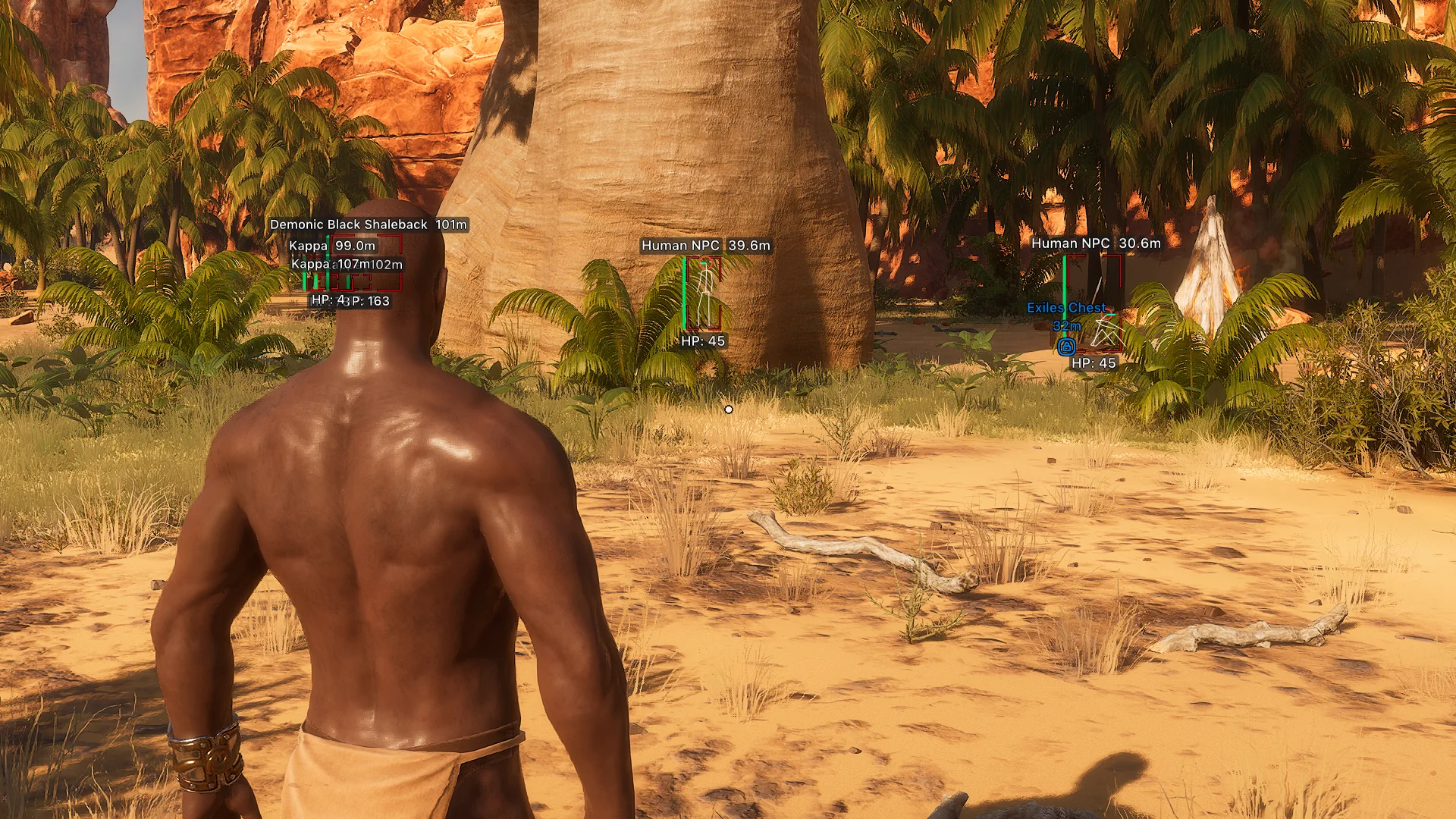
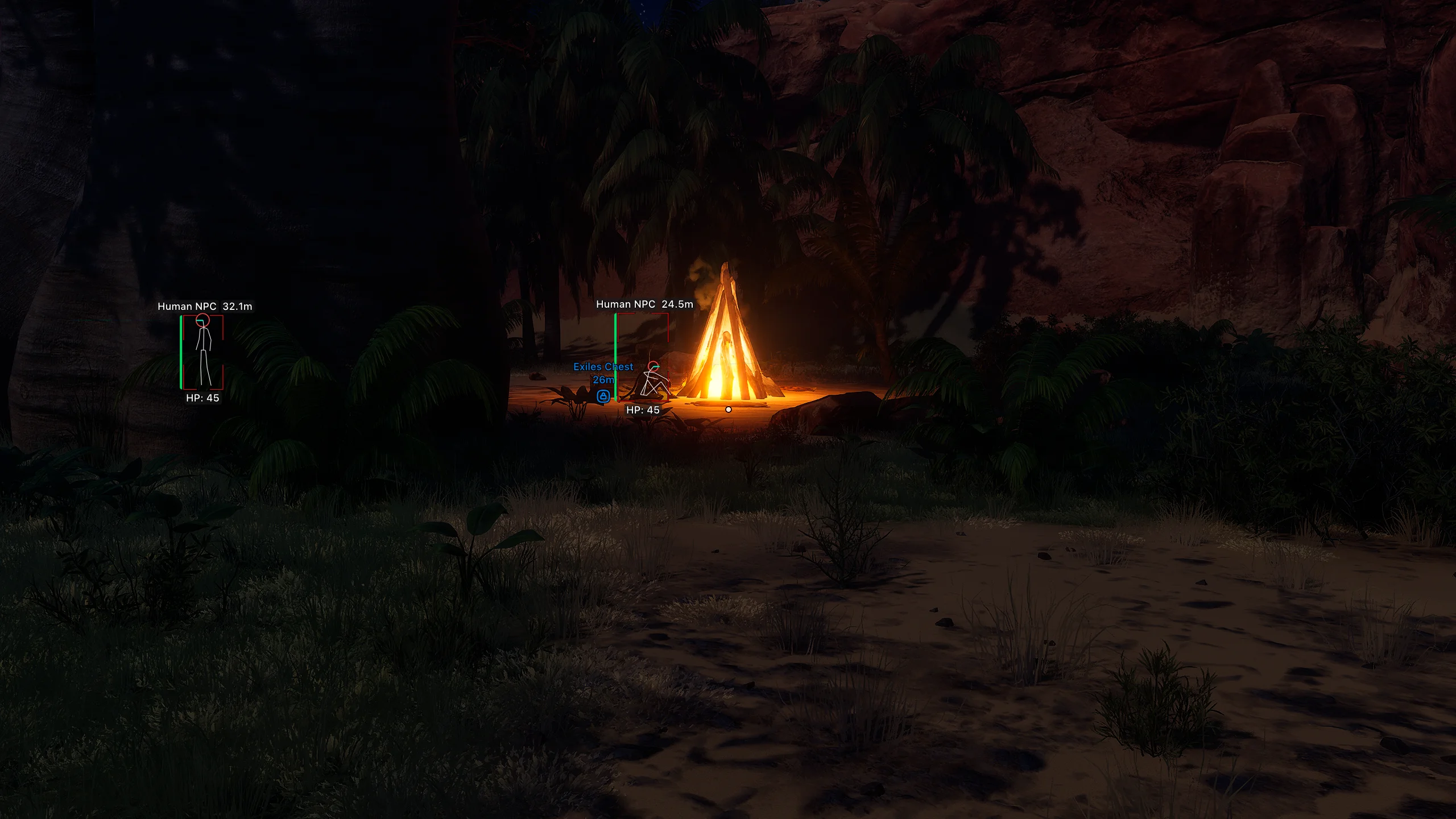
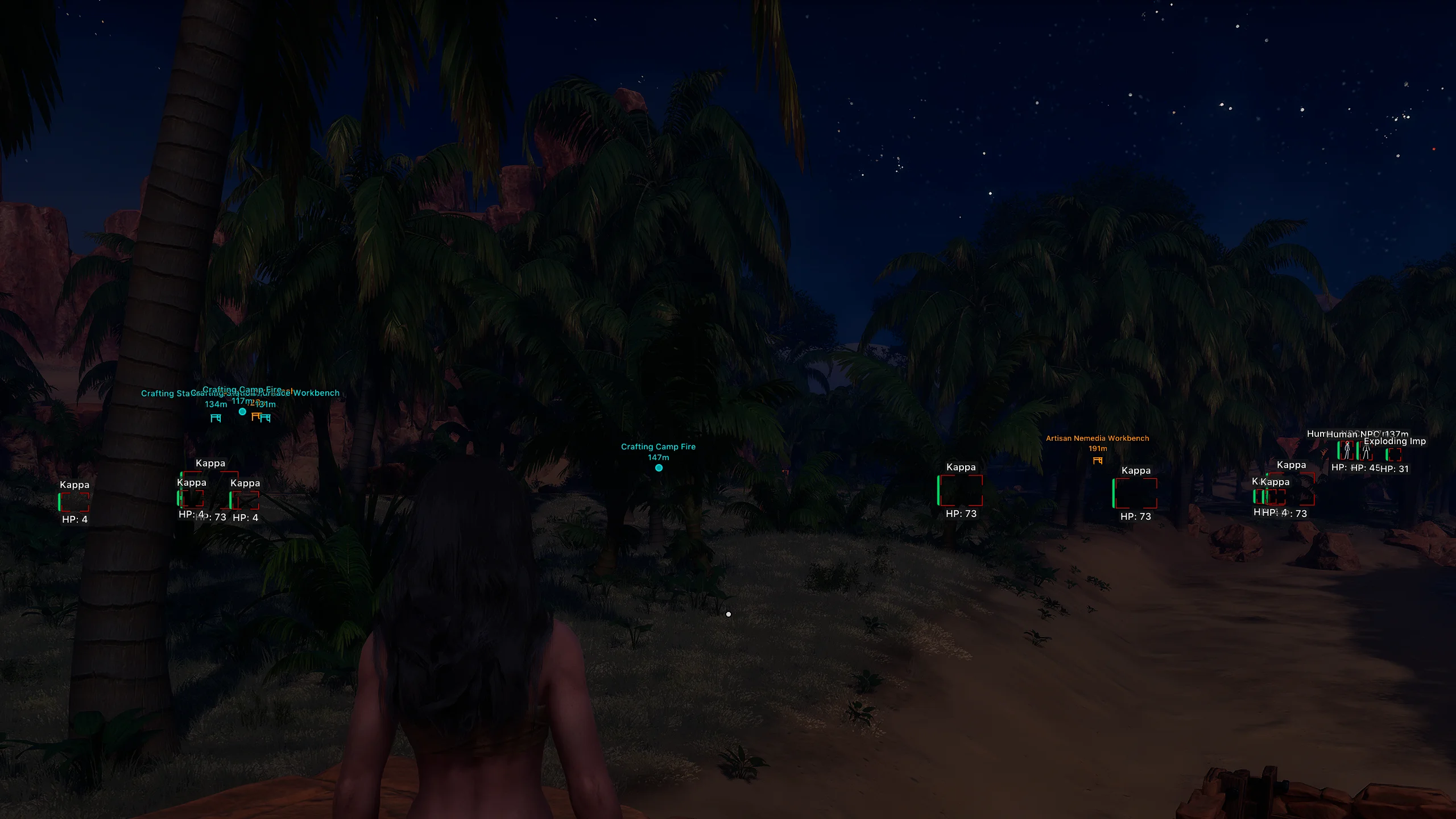

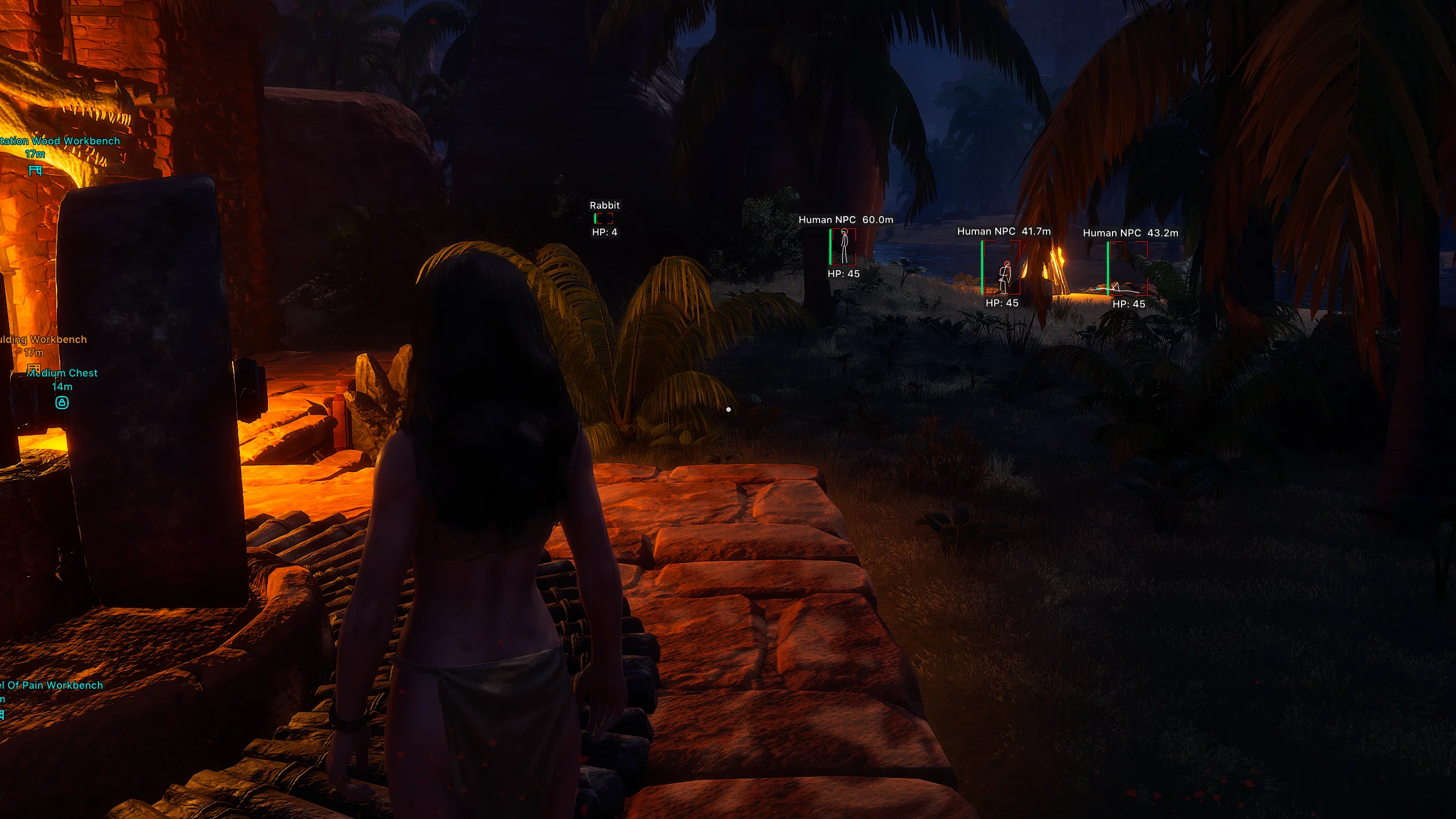
To zoom the image, double-click on it.
System Requirements:
Operating system: Windows 10, Windows 11 (21H2, 22H2, 23H2, 24H2, 25H2) Processor: AMD & INTEL Video card: AMD & NVIDIA Client: Steam, Xbox (Microsoft Store), Epic Games
Section under development
Installation Guide
Follow the detailed instructions to activate Arcane Conan Exiles Hack cheat
Open GuideSelect Tariff
Secure payment. Instant access.
Main Features of Arcane Conan Exiles Hack
Aimbot (Aim Bot)
-
Enable
Enables the aimbot for automatic targeting of selected enemies -
Aim Key
Assigns the hotkey to activate the aimbot (hold) -
Max Distance
Sets the maximum range for target acquisition -
Target
Allows selecting target categories for the aimbot (players, wildlife, humanoids) -
Bone
Defines the body part to aim at (head, neck, chest, pelvis) -
Adaptive FOV
Automatically adjusts the aim area radius based on target distance -
Draw FOV Border
Displays the aimbot working area border on the screen -
Draw FOV Background
Fills the fov area with a semi-transparent background for better visibility -
FOV Size
Adjusts the area size within which the aimbot searches for targets -
Smoothness
Adjusts the smoothness or sharpness of the aim movement
Players ESP (Wallhack)
-
Bounding Box
Displays a player model outline (full box, corner box) -
Fill Box
Fills the inner area of the box with color (solid, gradient) -
Health Bar
Displays the player's health bar (solid, hp‑based, gradient) -
Health Text
Shows numeric health value -
Skeleton
Displays the player skeleton with line thickness and head circle options -
Thickness
Adjusts skeleton line thickness -
View Line
Shows the player's view direction line with adjustable start/end colors -
Line to Enemy
Draws a line from you to the enemy with color and start‑point options -
Name
Displays the player's nickname -
Distance
Shows distance to the player -
ESP Style
Changes the display style (with background, without background) -
Max Distance
Sets the max distance for displaying player esp
Wildlife ESP (WH)
-
Bounding Box
Displays the animal model outline (full box, corner box) -
Fill Box
Fills the box interior with color (solid, gradient) -
Health Bar
Displays the animal’s health bar (solid, hp‑based, gradient) -
Health Text
Shows numeric health value -
Line to Enemy
Draws a line from you to the animal with adjustable color and start point -
Name
Displays the animal name -
Distance
Shows distance to the animal -
ESP Style
Changes info display style (with background, without background) -
Max Distance
Sets the maximum distance for wildlife esp
Human NPC ESP
-
Bounding Box
Displays the npc model outline (full box, corner box) -
Fill Box
Fills the box interior with color (solid, gradient) -
Health Bar
Displays npc health bar (solid, hp‑based, gradient) -
Health Text
Shows numeric health value -
Skeleton
Displays the npc skeleton with configurable line thickness and head circle -
View Line
Draws npc view direction line with customizable colors -
Line to Enemy
Draws a line from you to the npc with color and start‑point options -
Name
Shows the npc name -
Distance
Displays distance to the npc -
ESP Style
Changes display style (background on/off) -
Max Distance
Sets the maximum npc esp range
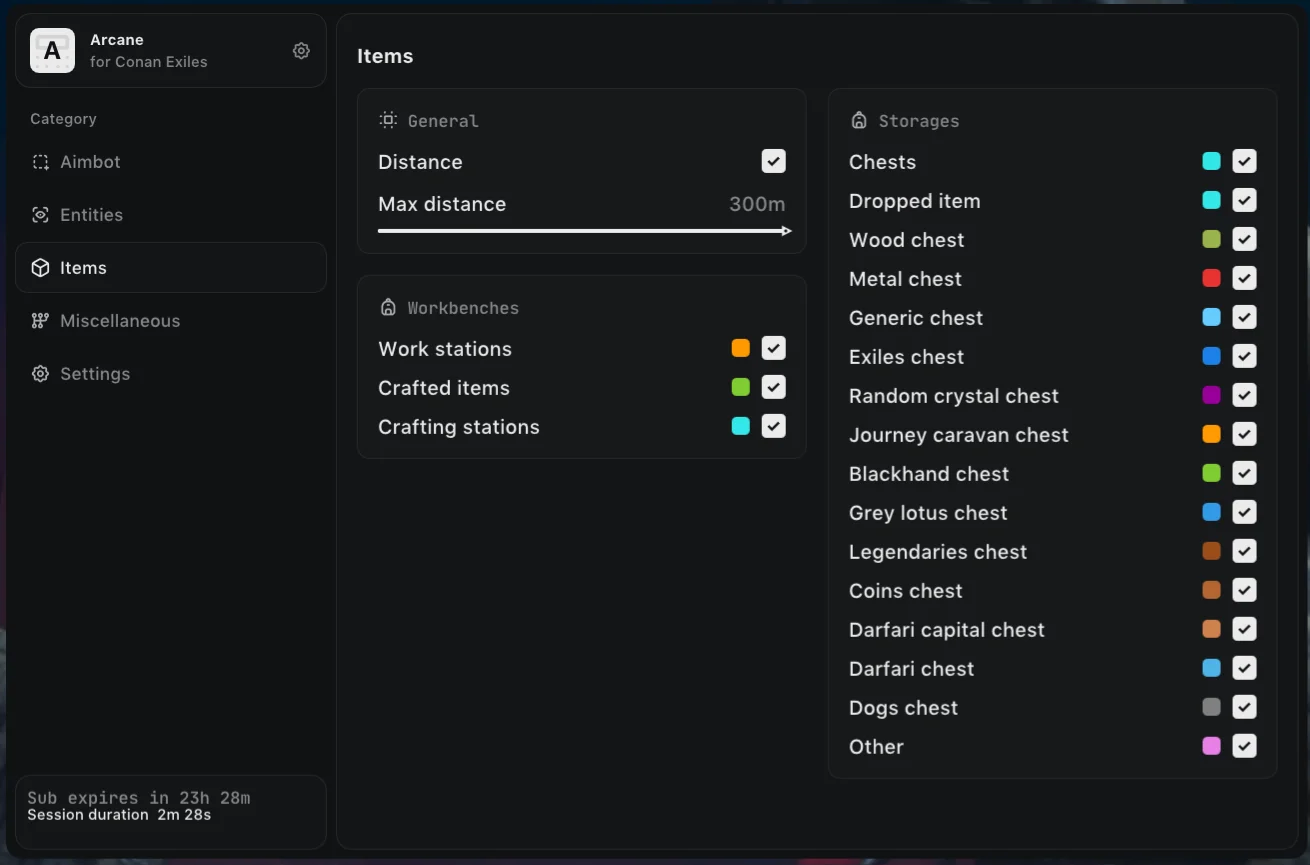
tems ESP (Loot)
-
Distance
Displays distance to items, containers, and stations -
Max Distance
Sets the max distance for showing all esp objects -
Work Stations
Shows all available workstations and production structures -
Crafted Items
Shows items crafted at stations -
Crafting Stations
Highlights all types of crafting stations -
Chests
Displays all containers and chests -
Dropped Item
Items dropped on the ground after death or discard -
Wood Chest
Highlights wooden chests -
Metal Chest
Displays metal chests -
Generic Chest
Shows standard general‑purpose containers -
Exiles Chest
Displays exiles faction chests -
Random Crystal Chest
Highlights crystal chests with random loot -
Journey Caravan Chest
Shows journey caravan chests -
Blackhand Chest
Displays black hand faction chests -
Grey Lotus Chest
Highlights grey lotus related chests -
Legendaries Chest
Displays legendary loot chests -
Coins Chest
Shows currency and coin chests -
Darfari Capital Chest
Highlights chests in darfari capital -
Darfari Chest
Displays standard darfari faction chests -
Dogs Chest
Shows chests found in dog camps -
Other
Displays all other containers not in listed categories
Misc Features Arcane Conan Exiles
-
Speedhack
Increases character movement speed -
FOV Changer
Allows changing the camera field of view -
Battle-Mode Key
Assigns a hotkey to quickly hide extra esp -
Hide Players
Hides player esp in battle mode -
Hide Wildlife
Hides wildlife esp in battle mode -
Hide Human NPC
Hides npc esp in battle mode -
Hide Items
Hides item and container esp in battle mode -
Menu Keybind
Assigns the menu open/close key -
Unload Keybind
Assigns a key to fully unload the mod menu -
DPI Scale
Adjusts menu ui scale -
FPS Limit
Sets a maximum fps limit -
Theme
Changes mod menu appearance (dark, light) -
Language
Switches interface language (english, russian, chinese) -
Create Config
Creates a new config using current settings -
Load Config
Loads a previously saved configuration -
Rename Config
Renames a selected config -
Delete Config
Removes a saved configuration from the list
Safety and Reliability of Arcane Conan Exiles Hack
Private cheat Arcane Conan Exiles Hack is developed with modern anti-cheat systems in mind and is regularly updated to maintain "Undetected" status. All purchase data is stored encrypted and is available only to you and our support service.
2-Minute Purchase Process:
- Choose payment method (FunPay or direct)
- Pay for selected tariff
- Receive access email within 2 minutes
- Follow instructions for activation
Reviews from our FunPay customers for 2026
There are no reviews for this product yet.